
 OpenAI - ChatGPT, Sora
 Google - Gemini, Nano Banana
 Anthropic - Claude
 xAI - Grok
 Deepseek
 Alibaba - Qwen
 ByteDance - Doubao
 All Models
 Enterprise Plans
 AI Application Development
 AI Translator API
 AI SEO/GEO Service
 GEO-Optimized PR Service
 Web Scraping Service
 OpenClaw
 Top AI Tools
 Top AI Robots
 Log in

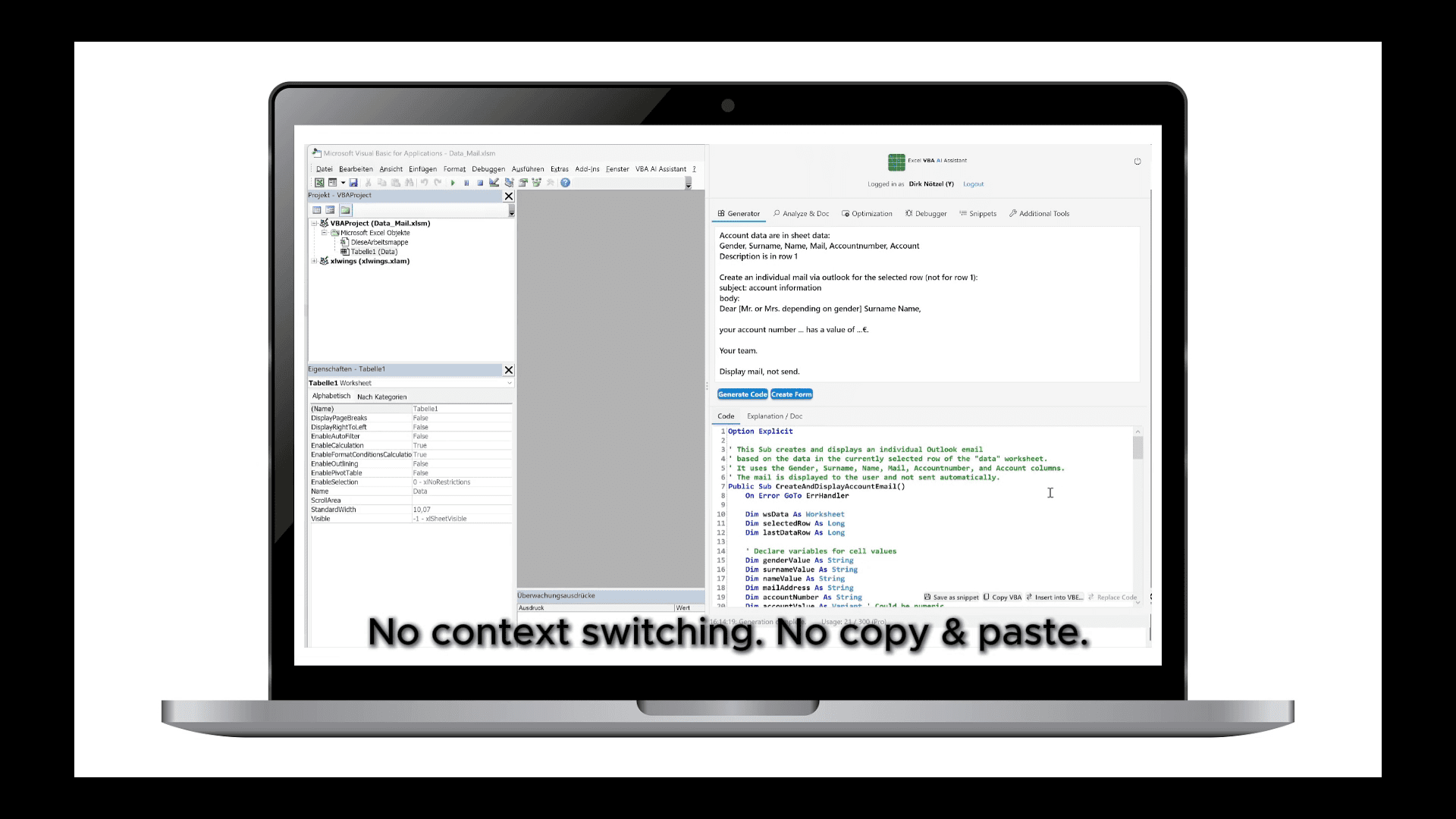

What is Excel VBA AI Assistant?
The Excel VBA AI Assistant integrates artificial intelligence directly into the Visual Basic Editor of Microsoft Excel. It supports users who create, maintain, or analyze VBA macros by enabling code-related tasks entirely within Excel instead of switching to external tools.
Key functions include generating code from natural language descriptions, explaining complex macros, and creating documentation. Existing code can be optimized by identifying inefficient constructs such as cell-by-cell loops or the use of Select and Activate, with alternatives like array processing suggested. The assistant also detects compile-time and runtime errors, proposes corrected versions, and provides standardized error-handling templates with optional logging.
A snippet manager with more than one hundred reusable routines allows frequently used solutions to be stored, searched, and reused directly in the editor.
The Excel VBA AI Assistant is available as an Excel add-in.
Use Cases And Features
1. Automating Reports
An analyst needs to prepare recurring monthly reports in Excel. By describing the task in natural language, the assistant generates macros that format sheets, update charts, and export PDFs automatically, reducing manual work and ensuring consistent results every reporting cycle.
2. Understanding Legacy Code
A finance team inherits complex VBA macros from former employees. The assistant explains the unfamiliar code in plain English or German and produces documentation, allowing the team to maintain and adapt the macros without guessing or spending hours debugging unknown routines.
3. Debugging Runtime Errors
A user encounters frequent runtime errors in macros that slow down data processing. The assistant identifies the faulty code segments, suggests corrected versions with standardized error handling, and adds logging options, enabling faster resolution and more reliable execution of daily tasks.