
 OpenAI - ChatGPT, Sora
 Google - Gemini, Nano Banana
 Anthropic - Claude
 xAI - Grok
 Deepseek
 Alibaba - Qwen
 ByteDance - Doubao
 All Models
 Enterprise Plans
 AI Application Development
 AI Translator API
 AI SEO/GEO Service
 GEO-Optimized PR Service
 Web Scraping Service
 OpenClaw
 Top AI Tools
 Top AI Robots
 Log in






How to Use Apple AI in 2026: The Complete Beginner’s Guide to Apple Intelligence Features
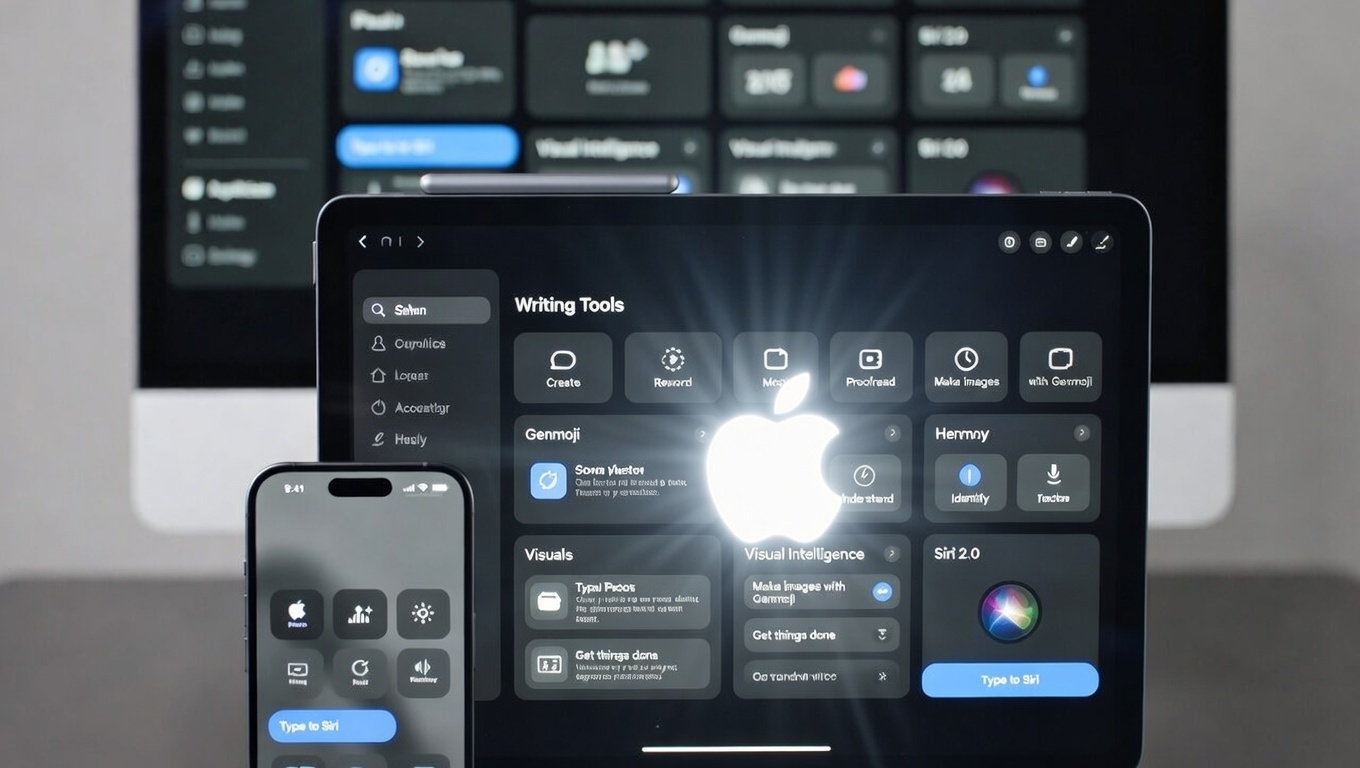
In the fast-paced landscape of 2026, Artificial Intelligence has transitioned from a novelty to a utility as essential as electricity. While competitors raced to build massive cloud-based models, Apple played the long game, focusing on a unique proposition: Personal Intelligence. Apple Intelligence isn't just a chatbot; it is a deeply integrated, privacy-centric layer that orchestrates apps, understands personal context, and executes tasks across the entire Apple ecosystem.
Launched initially with iOS 18 and maturing significantly in iOS 26, this system represents a shift from "Generative AI" (creating content) to "Agentic AI" (doing things for you). Whether it's your iPhone summarizing a chaotic Slack thread before a meeting, or your iPad generating a storyboard for a client pitch in seconds, Apple Intelligence is designed to be the invisible engine of your productivity.
What sets Apple apart in the crowded 2026 AI industry?
- Privacy-First Architecture: Leveraging the "Private Cloud Compute" (PCC) standard, Apple ensures that even when tasks leave your device for the cloud, the data is cryptographically inaccessible to Apple itself.
- The NPU Advantage: With the A19 and M5 chips, on-device processing handles 80% of requests, ensuring zero latency and functionality even without an internet connection.
- System-Wide Context: Unlike standalone apps, Apple Intelligence knows what's on your screen, who your contacts are, and what your calendar looks like, weaving these data points together seamlessly.
Step 1: Hardware Readiness & Setup
Before harnessing these capabilities, hardware compatibility is the gatekeeper. As of January 2026, the Neural Engine requirements mean that legacy devices (pre-2023) may be excluded from on-device processing features.
Compatible Devices (2026 List)
- iPhone: iPhone 15 Pro/Max, iPhone 16 Series (All), iPhone 17 Series (All). Note: The A17 Pro chip was the baseline for the first wave of local LLMs.
- iPad: Any model with an M1 chip or later (iPad Air 5th Gen+, iPad Pro 2021+).
- Mac: All Apple Silicon Macs (M1, M2, M3, M4, M5 series). Intel Macs are now largely restricted to cloud-based features.
- Wearables: Apple Watch Series 10+ and Ultra 3 (for health insights and basic Siri queries).
How to Enable Apple Intelligence
The setup process has been streamlined in iOS 26, but requires specific steps to download the localized Large Language Models (LLMs).
- Update OS: Ensure you are running iOS 26.1 or macOS Sonoma 26. The winter update (26.2) is recommended for optimized battery life.
- Navigate to Settings: Go to Settings > Apple Intelligence & Siri.
- Activate & Download: Tap "Turn On Apple Intelligence." The device will download a core model (approx. 4GB). Pro Tip: Do this while charging and on Wi-Fi.
- Language Configuration: Select your primary language. 2026 finally introduces seamless bilingual support (e.g., English/Mandarin switching).
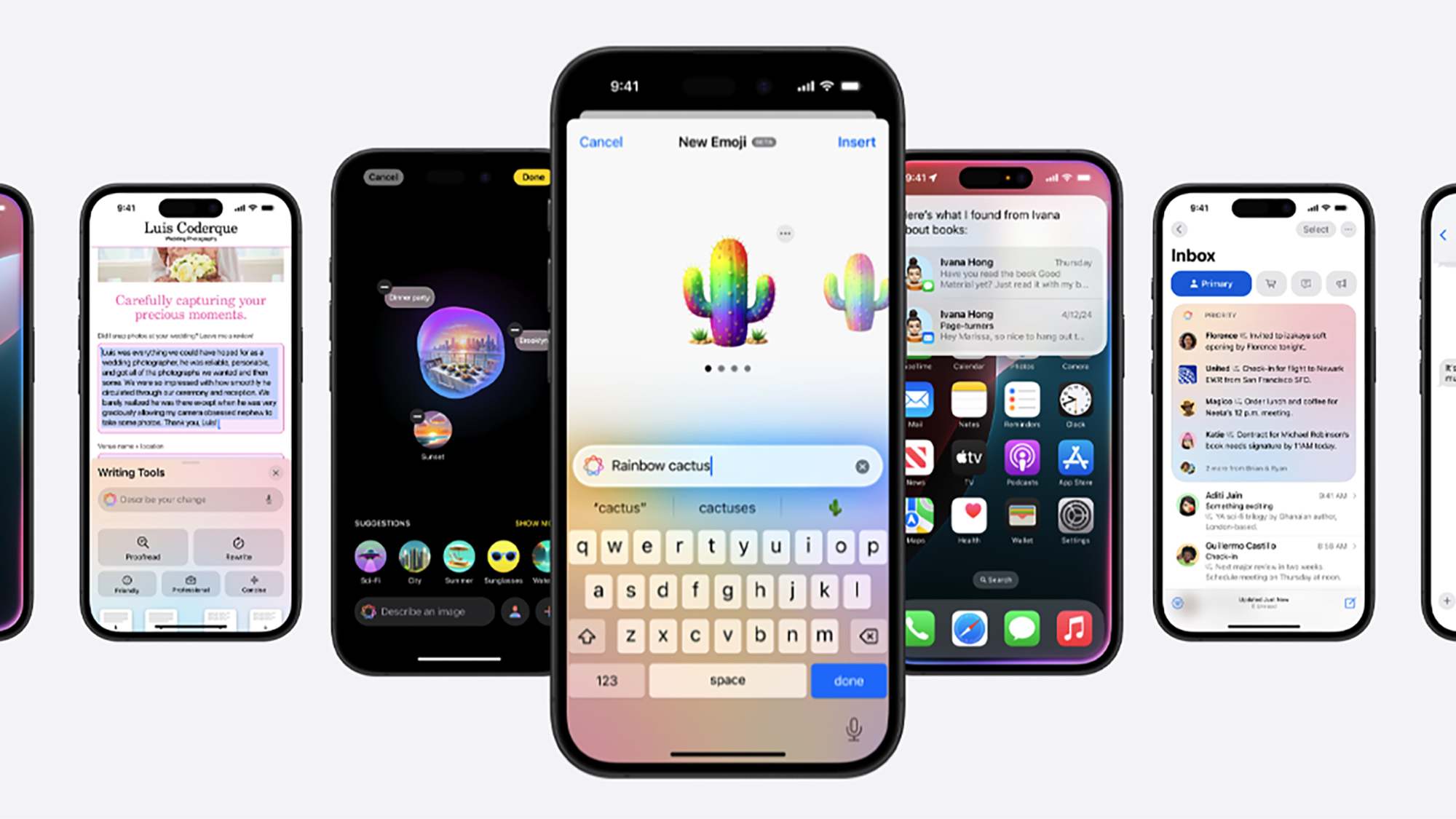 The simplified setup interface in iOS settings allows for quick model downloads and language configuration.
 Core Productivity: Mastering System-Wide Writing Tools
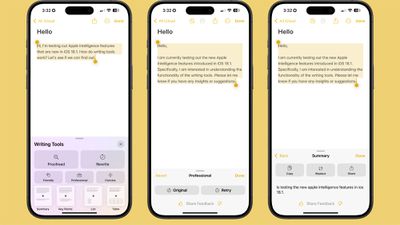
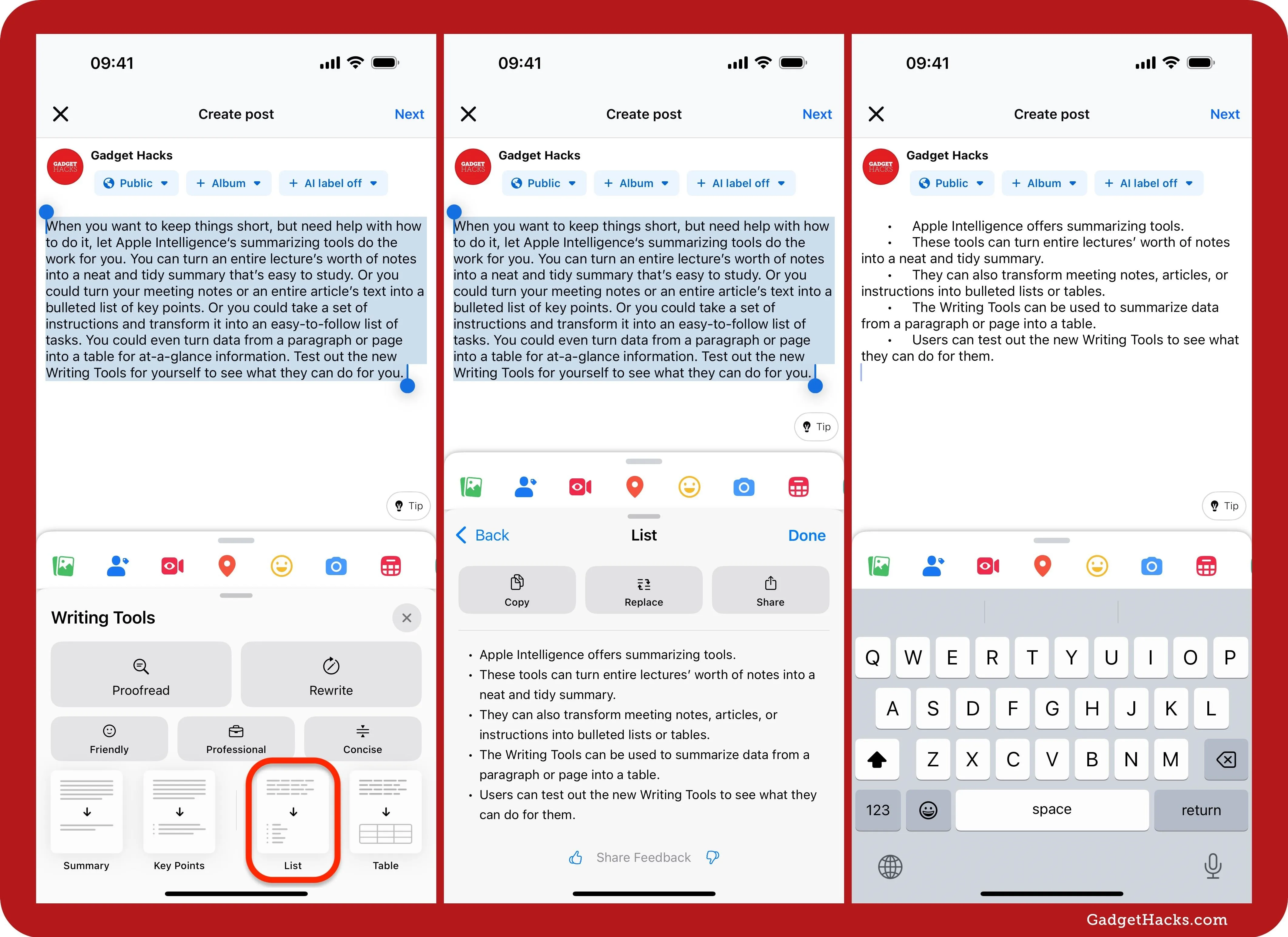
Writing Tools is arguably the most transformative feature for professionals. It is not merely a spellchecker; it is a context-aware editor embedded into the OS layer, available in Mail, Notes, Pages, and third-party apps.
Key Features Breakdown
- Contextual Rewrite: Change the tone of your text instantly. Convert a hastily written angry draft into a "Professional" email, or turn technical jargon into a "Friendly" update for clients. The 2026 "Empathetic" tone update is particularly useful for HR and customer support communications.
- Intelligent Proofreading: Beyond grammar, this checks for logical flow and cultural nuances—crucial for global business communication.
- Summary & Key Points: Select a 2,000-word report and hit "Summarize." You can choose between a paragraph abstract, a bulleted list of key decisions, or a table of action items.
- Smart Reply 2.0: In Mail and Messages, the AI analyzes the incoming content and your calendar availability to suggest complete, contextually accurate responses (e.g., "Yes, I'm free Tuesday at 2 PM, sending the invite now.").
ChatGPT Integration: For moments of "writer's block," Apple allows a seamless handoff to OpenAI’s models via the "Compose with ChatGPT" button. This is ideal for generating net-new creative content rather than just editing existing text.
Unleashing Creativity: Image Playground & Genmoji
The generative visual capabilities of Apple Intelligence have matured significantly. In 2026, Apple emphasizes "Ethical Generation," embedding C2PA metadata in all images to prove they are AI-generated, combating deepfakes while enabling creativity.
Image Playground: The On-Device Artist
Accessible via Messages or a standalone app, this tool allows users to generate assets in specific styles (Animation, Illustration, Sketch). Unlike cloud-based competitors like Midjourney, Image Playground runs locally, ensuring your prompts remain private.
Use Case: A marketing manager can generate a storyboard for a presentation by typing "Office setting, team celebrating, futuristic style," and drag the result directly into Keynote.
Genmoji: Hyper-Personalized Expression
Why settle for a standard emoji? Genmoji allows you to describe a feeling—"A T-rex surfing on a pizza slice while wearing a tuxedo"—and instantly create a usable emoji. The 2026 update allows for contact-based Genmoji, creating caricatures of friends based on their contact photos (with privacy safeguards).


Visual Intelligence: The World is Your Query
Utilizing the dedicated Camera Control button on newer iPhones, Visual Intelligence turns the camera into a real-time search engine. This feature competes directly with Google Lens but offers deeper OS integration.
- Instant Action: Point at a concert poster, and the AI extracts the date and artist to create a Calendar event and Apple Music playlist simultaneously.
- Restaurant Insights: Scan a storefront to see a rating overlay, opening hours, and a summary of popular dishes based on Maps data.
- Technical Support: Point at a complex router setup or a car dashboard warning light, and the AI identifies the model and explains the issue or setting.
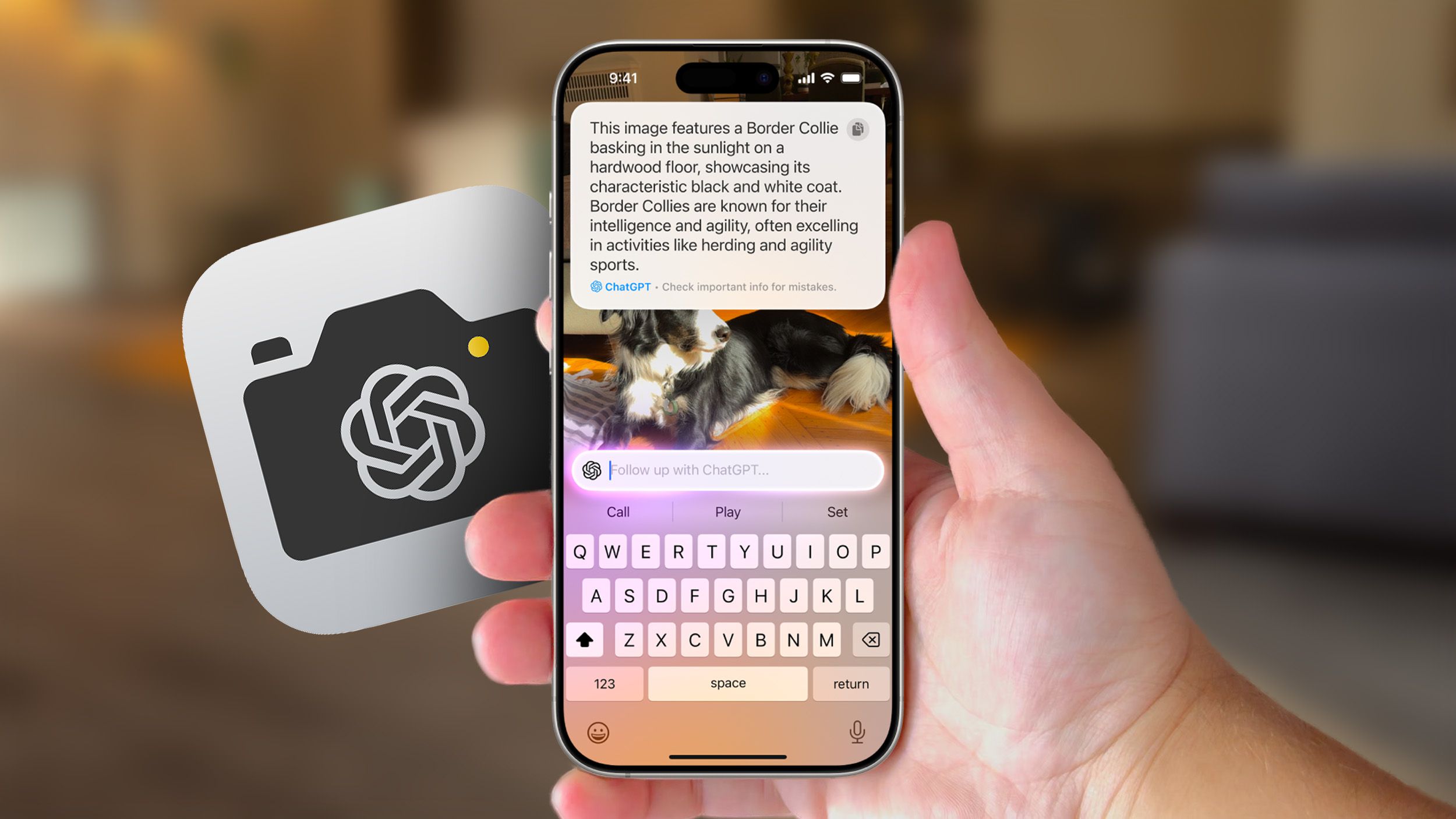 Visual Intelligence overlays data onto the real world, bridging the gap between physical context and digital information.
 Siri 2.0: The Agentic Future
The "dumb assistant" era is over. Siri in 2026 is powered by Large Language Models and possesses On-Screen Awareness. It can see what you are looking at and take action.
This is the "Holy Grail" of AI agents. You can now give complex commands like:
"Siri, take the photos I just edited in Lightroom, create a shared album for the Family group, and draft an email to Mom saying the pictures are ready."
Siri executes this chain of commands across three different apps without you lifting a finger.
Type to Siri: A new double-tap gesture on the bottom bar allows for silent, text-based interaction with Siri, perfect for meetings or quiet environments.
 The new glowing edge UI signifies Siri's active listening and context awareness state.
 Conclusion: Embracing the Intelligent Ecosystem
Apple Intelligence in 2026 represents a mature, refined approach to AI. It avoids the "uncanny valley" of pure chatbots by focusing on utility, privacy, and deep integration. For the beginner, the learning curve is gentle—start with Writing Tools in your daily emails, experiment with Visual Intelligence on your next trip, and gradually trust Siri with complex workflows.
As we look toward the future, with rumors of Apple's home robotics and AR glasses on the horizon, mastering these core intelligence features today is the foundation for the spatial computing era of tomorrow.
Frequently Asked Questions
While AI tasks are compute-intensive, the dedicated Neural Engine (NPU) in Apple Silicon is designed for efficiency. However, heavy use of image generation may impact battery faster than standard use.
No. Apple explicitly states that Private Cloud Compute data is not stored, and on-device data remains local. Your personal context is not used to train the base foundation models.
Yes. Core features like Writing Tools (rewriting/proofreading), Siri requests (app control), and basic object recognition function entirely offline on compatible devices.