
 OpenAI - ChatGPT, Sora
 Google - Gemini, Nano Banana
 Anthropic - Claude
 xAI - Grok
 Deepseek
 Alibaba - Qwen
 ByteDance - Doubao
 All Models
 Enterprise Plans
 AI Application Development
 AI Translator API
 AI SEO/GEO Service
 GEO-Optimized PR Service
 Web Scraping Service
 OpenClaw
 Top AI Tools
 Top AI Robots
 Log in












Runway Gen3 Turbo vs. Kling Pro
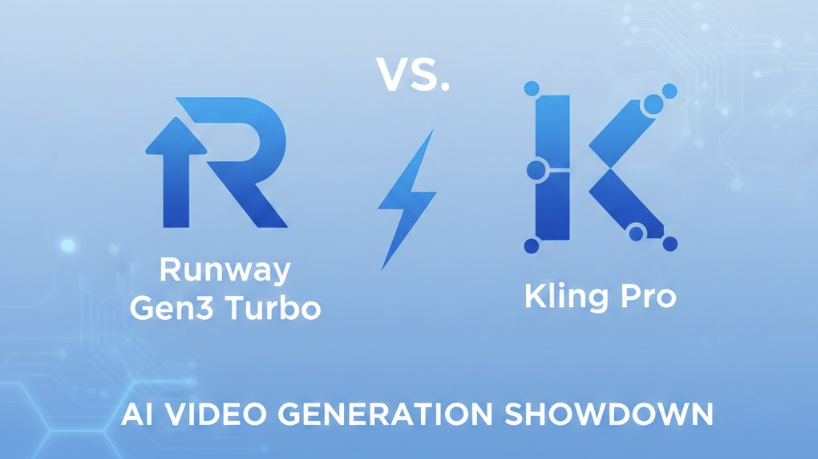
The landscape of AI video production is evolving at breakneck speed. For creators choosing between Runway Gen-3 Alpha Turbo and Kling Pro, the decision hinges on the delicate balance between physical consistency and creative flexibility. This comprehensive guide breaks down their technical specifications, real-world performance, and pricing models to help you identify the best tool for your workflow.
🚀 Technical Specifications: At a Glance
Before diving into visual tests, it is essential to understand the structural differences between these two powerhouses. While both target high-end cinematic output, their "DNA" differs in frame rates and input versatility.
| Specification | Runway Gen-3 Alpha Turbo | Kling Pro |
|---|---|---|
| Supported Duration | 5, 10 sec | 5, 10 sec |
| Base Prompt Inputs | Image | Text, Image |
| Output Resolution | 1280x768, 768x1280 | 1280x720, 720x1280, 960x960 |
| Frame Rate | 24 fps | 30 fps |
Key Insight: Kling Pro offers a slight edge in fluidity with 30 fps and more flexible aspect ratios, whereas Runway focuses on a cinematic 24 fps standard optimized for image-to-video workflows.
🧪 Head-to-Head Practical Tests
1. Complex Interaction: The Easter Bunny
Prompt: The Easter bunny prepares food... sprinkles seasoning on food.
Runway: Struggled with physics; objects appeared out of thin air. (Winner: ❌)
Kling Pro: Better spatial awareness, though color consistency was slightly off. (Winner: ✅)
2. The "Eating" Challenge
Prompt: A cat sits at a table and eats pasta with a fork.
Eating is notoriously difficult for AI. Kling Pro maintained a more realistic feline aesthetic, while Runway produced distortions in the cat's anatomy.
Winner: Kling Pro ✅3. Character Interaction
Runway excelled at conveying emotional depth between a woman and a dog, despite some minor object levitation issues.
Winner: Runway ✅
4. Sci-Fi Dynamics
Runway's handling of a spaceship dodging asteroids felt more dynamic and cinematically tracking than Kling's morphing ship.
Winner: Runway ✅
5. Human Bio-mechanics: Lip Sync & Movement
When it comes to Lip Synchronization and Jogging Animations, Runway Gen-3 Alpha Turbo takes the lead. Its ability to map muscle movements during speech and athletic activity appears more grounded in reality compared to Kling Pro's occasional stiffness.
Winner for Human Motion: Runway ✅
💰 Cost Analysis & Integration
For developers and power users, the price per second of video generated is a critical factor for scaling production.
- 🔹 Runway Gen-3 Turbo: $0.05 / sec
- 🔹 Kling Pro: $0.13125 / sec
Runway offers a significantly lower entry point for high-volume generation, making it more budget-friendly for startups and independent creators.
Final Verdict
The "better" model depends entirely on your project's specific needs:
- Choose Runway Gen-3 Alpha Turbo if you prioritize human realism, emotional expression, and cost-efficiency.
- Choose Kling Pro if you require high-frame-rate fluidity, complex environmental physics, and text-to-video flexibility.
Frequently Asked Questions
Q1: Which model is better for professional filmmaking?
Runway is generally preferred for its 24fps cinematic look and superior character consistency, though Kling Pro's 30fps is excellent for smooth commercial content.
Q2: Can I use text prompts to generate video in Runway Gen-3 Turbo?
Based on current specifications, the Turbo model is optimized primarily for Image-to-Video, whereas Kling Pro supports both Text and Image prompts natively.
Q3: Is there a significant speed difference in generation?
Yes. Runway Gen-3 Alpha Turbo lives up to its name, typically generating content faster than Kling Pro, which has an average generation time of over 220 seconds.
Q4: Which tool is more affordable for long-term projects?
Runway is more cost-effective at $0.05 per second, compared to Kling's $0.13, offering over 60% savings for large-scale video tasks.