
 OpenAI - ChatGPT, Sora
 Google - Gemini, Nano Banana
 Anthropic - Claude
 xAI - Grok
 Deepseek
 Alibaba - Qwen
 ByteDance - Doubao
 All Models
 Enterprise Plans
 AI Application Development
 AI Translator API
 AI SEO/GEO Service
 GEO-Optimized PR Service
 Web Scraping Service
 OpenClaw
 Top AI Tools
 Top AI Robots
 Log in


What is n8n and How to Use It: A Comprehensive Guide to Workflow Automation in 2026
In an era where efficiency defines success, workflow automation tools have become indispensable for businesses, developers, and even individuals looking to streamline repetitive tasks. Among these, n8n (pronounced "n-eight-n") stands out as a powerful, open-source platform that's gaining massive traction in 2026.
Whether you're automating data syncs between apps, building AI-powered agents, or orchestrating complex business processes, n8n offers a flexible, no-code/low-code solution that puts control back in your hands. Unlike proprietary tools like Zapier, n8n allows self-hosting, unlimited workflows, and deep customization—all while keeping your data private.
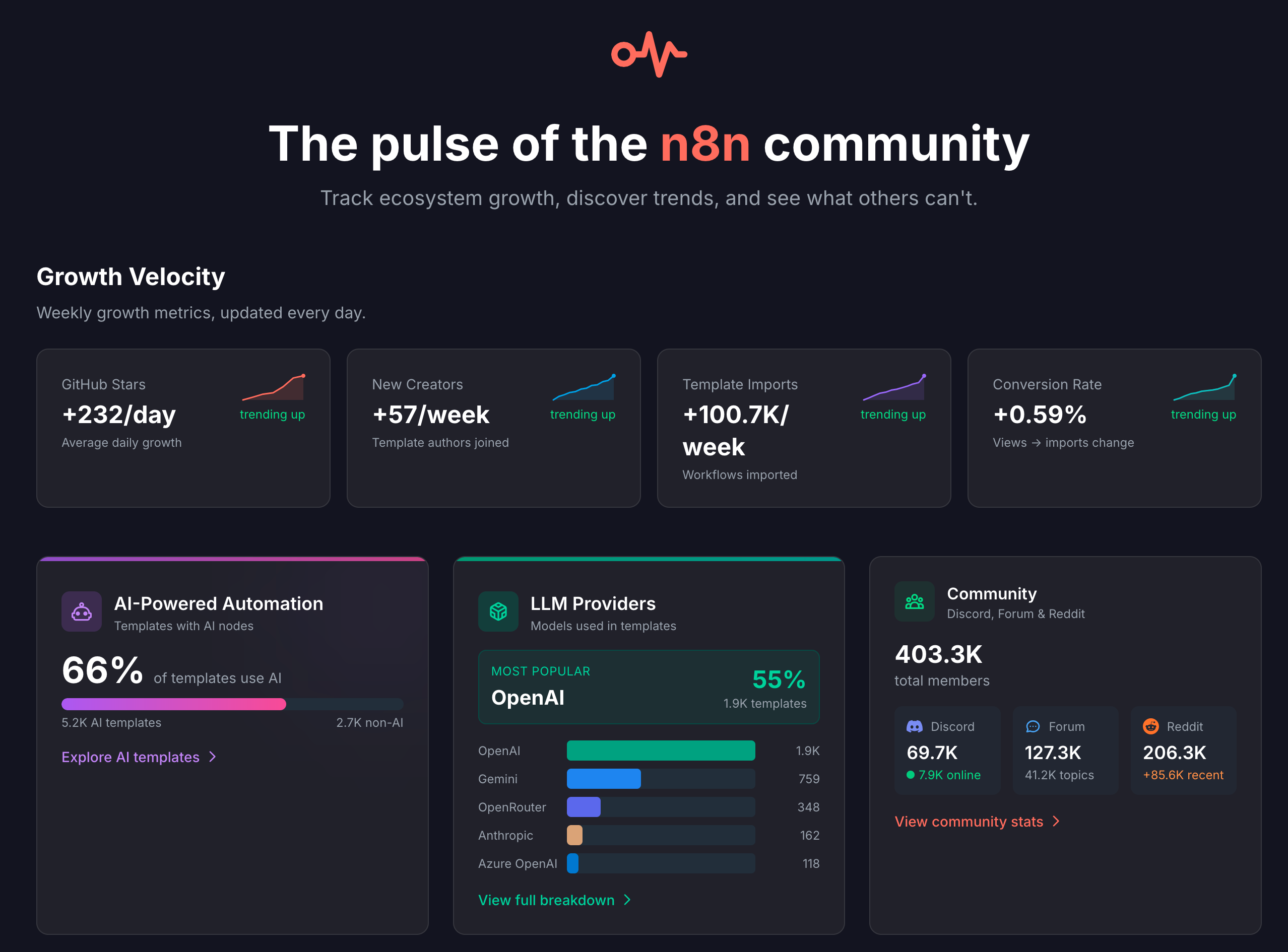
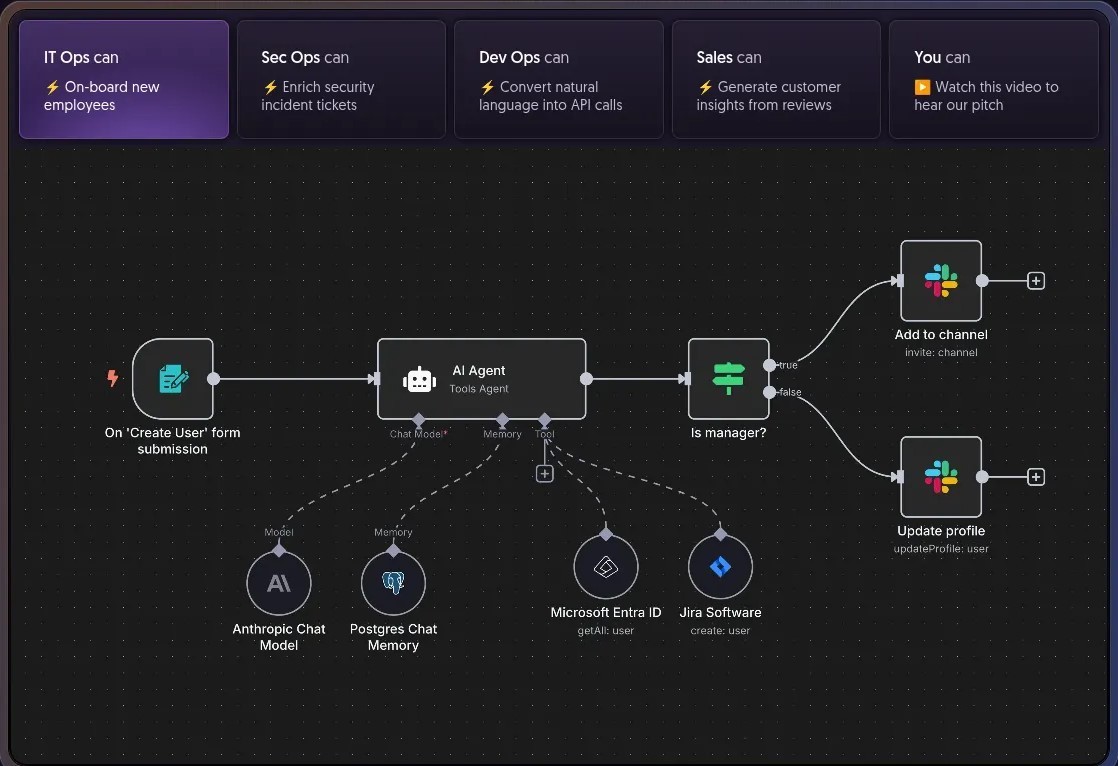
Launched in 2019, n8n has evolved significantly by 2026, incorporating advanced AI features like multi-step agents and natural language integrations. It's now the go-to for technical teams in IT Ops, Sec Ops, Dev Ops, and Sales, with over 500 app integrations and a vibrant community sharing 1700+ templates.
Why n8n in 2026? With AI orchestration becoming mainstream, tools like n8n enable "agentic" systems—autonomous workflows that reason, use tools, and maintain memory—without vendor lock-in.
What is n8n? Understanding the Basics
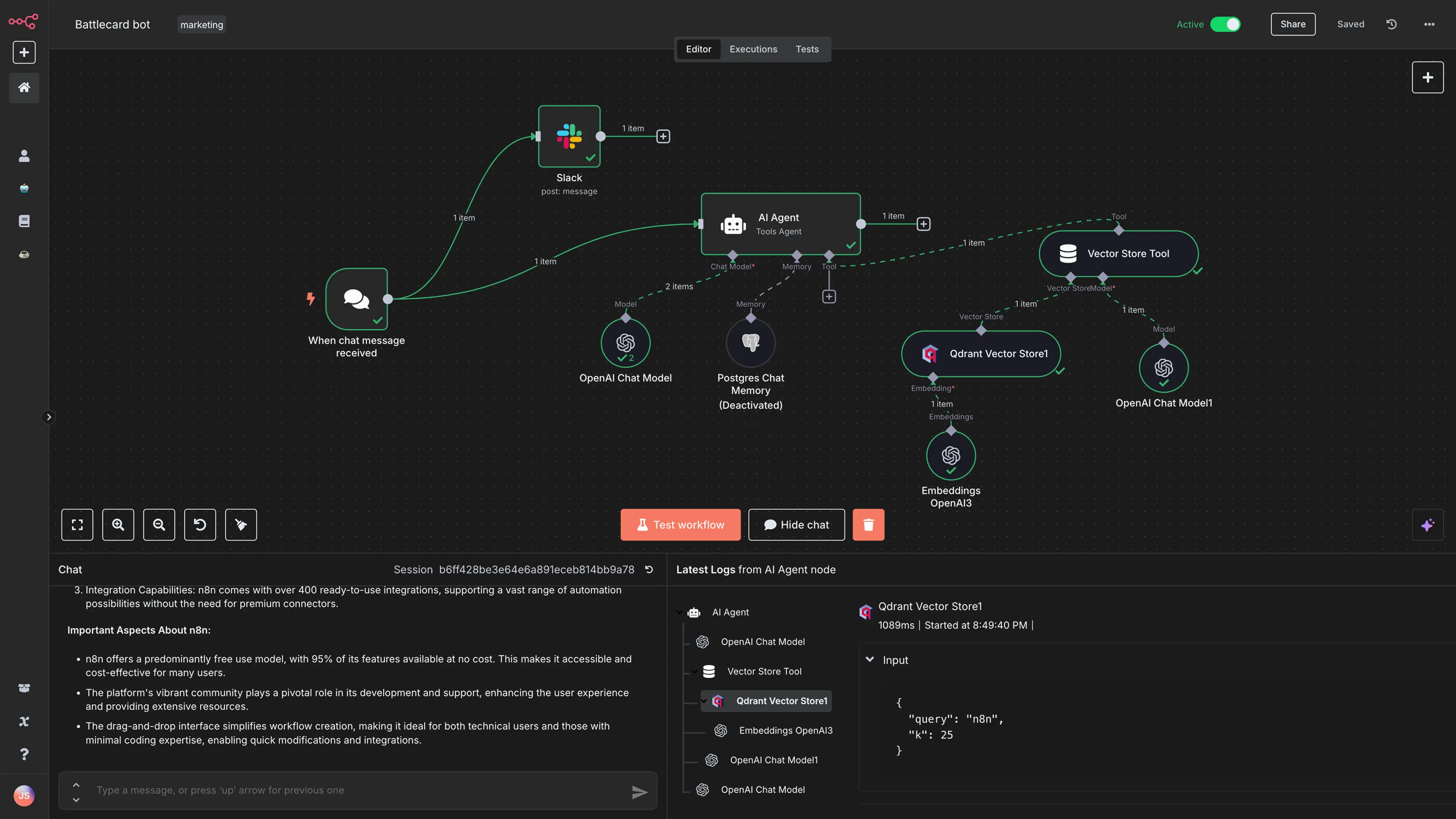
At its core, n8n is an open-source workflow automation tool designed to connect apps, APIs, and services seamlessly. It uses a node-based visual editor where you drag-and-drop "nodes" to create workflows—sequences of automated tasks triggered by events like new emails, form submissions, or scheduled times.
The name "n8n" stands for "node to node," reflecting its modular architecture built on Node.js. Workflows consist of:
- Triggers: Events that start the process (e.g., a new Slack message or webhook).
- Actions: Steps that perform tasks (e.g., fetch data from Google Sheets, send an email via Gmail, or generate content with AI models like OpenAI's GPT).
- Nodes: The building blocks—over 500 pre-built ones for popular apps, plus custom JavaScript/Python nodes for advanced logic.
By 2026, n8n has become an "AI orchestration platform," allowing you to build multi-step AI agents that integrate LLMs. Key differentiators in 2026 include:
Key Features of n8n in 2026
n8n's strength lies in its blend of no-code accessibility and low-code power. Here's a breakdown of standout features based on 2026 updates:
How to Install n8n: Step-by-Step Setup for 2026
Getting n8n running is straightforward. Self-hosting is popular in 2026 for cost savings and data control—free forever with unlimited workflows.
Option 1: n8n Cloud (Easiest)
- Visit app.n8n.cloud and sign up.
- Verify your account and start with the free tier (2,500 executions/month).
- Access the dashboard instantly—no server setup needed.
Option 2: Self-Hosting with Docker (Recommended)
Docker is the simplest self-hosting method. Prerequisites: Ubuntu server, Docker installed.
- Install Docker: sudo apt update && sudo apt install docker.io docker-compose
- Create a
docker-compose.ymlfile:version: '3' services: n8n: image: n8nio/n8n ports: - '5678:5678' volumes: - ~/.n8n:/home/node/.n8n - Start n8n: docker-compose up -d
- Access at http://localhost:5678. Set up your owner account.
Option 3: npm Installation (For Developers)
- Install Node.js (v18+).
- Install n8n globally: npm install -g n8n
- Start: n8n start --tunnel
Getting Started: Building Your First Workflow
Once installed, log into the dashboard—a clean interface with sections for workflows, credentials, templates, and executions.
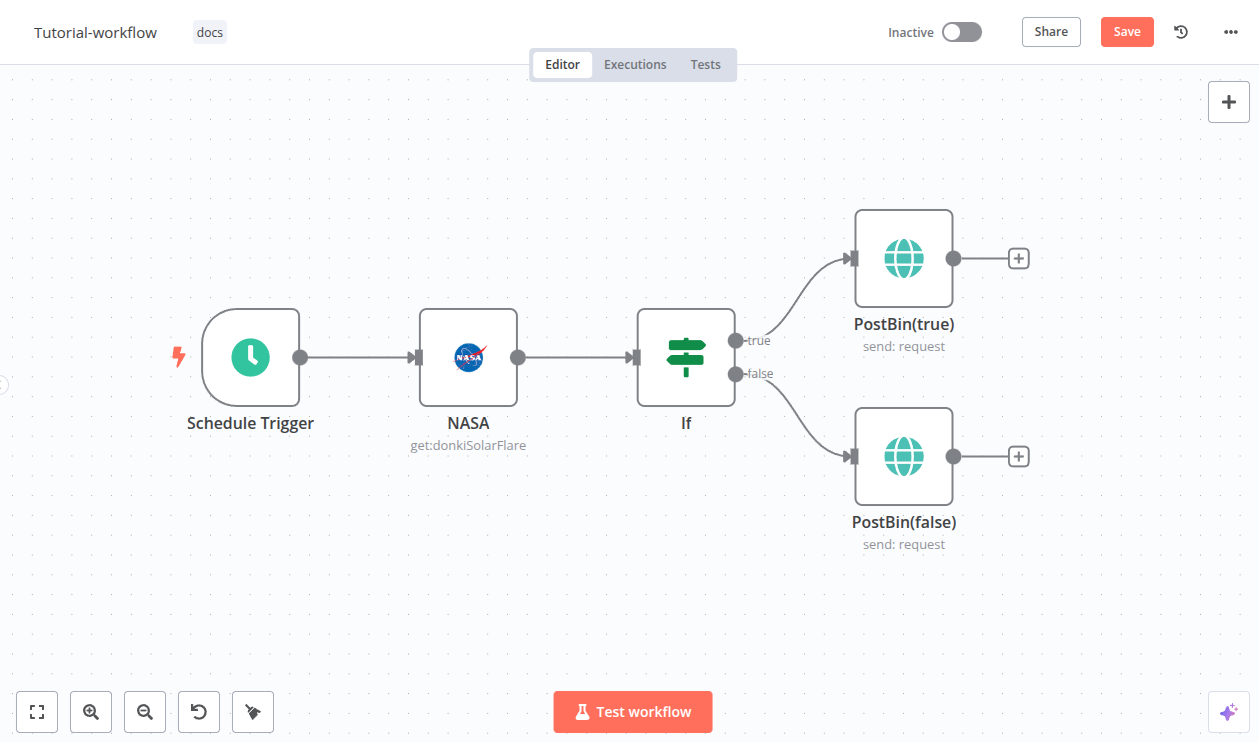
Step-by-Step Tutorial
- Create a New Workflow: Click "New" in the workflows tab. Name it (e.g., "Email Alert on New RSS Feed").
- Add a Trigger Node: Search for "RSS Feed" node, drag it to the canvas. Configure the URL.
- Add Action Nodes: Connect to an "Email" node (e.g., Gmail). Set credentials (OAuth for security).
- Add Logic: Insert a "Filter" node for conditions (e.g., only if title contains "AI").
- Test: Click "Execute Workflow" to run manually. Debug with node outputs.
- Schedule/Activate: Add a "Schedule" trigger for automation. Save and activate.
Real-World Examples: Practical Workflows
Let's apply n8n to 2026 scenarios.
- Trigger: Schedule daily.
- Flow: HTTP Request (News) → AI Agent (Summarize) → Generate Image (DALL-E) → Post to LinkedIn.
- Users report 10x faster production.
- Trigger: New form submission.
- Flow: Create Slack user → Send welcome email → Add to Airtable → Generate insights.
- Ideal for startups scaling operations.
- Trigger: Telegram message.
- Flow: Speech-to-Text → AI Agent for processing → Execute actions (e.g., update Sheets).
- Transforms low-tech processes with multimodal AI.
Advanced Tips & Conclusion
Best Practices for 2026
- Prompt Engineering: Use few-shot examples for better AI outputs.
- Modular Workflows: Break into sub-workflows for reusability.
- Optimization: Merge nodes to reduce latency; monitor with debug panels.
- Security: Avoid public exposures; use encrypted vars.
Limitations
n8n isn't perfect. The visual builder has a learning curve, and while there are 500+ integrations, niche apps might need custom HTTP requests. Security patching (e.g., 2026 CVEs) is crucial for self-hosters.
Why n8n is the Future
n8n transforms automation from a luxury to a necessity, empowering you to build scalable, AI-driven workflows without boundaries. Start today, install via Docker, and watch your efficiency soar.
Explore n8n.io