
 OpenAI - ChatGPT, Sora
 Google - Gemini, Nano Banana
 Anthropic - Claude
 xAI - Grok
 Deepseek
 Alibaba - Qwen
 ByteDance - Doubao
 All Models
 Enterprise Plans
 AI Application Development
 AI Translator API
 AI SEO/GEO Service
 GEO-Optimized PR Service
 Web Scraping Service
 OpenClaw
 Top AI Tools
 Top AI Robots
 Log in
Automate your entire
iPhone with Siri AI.
The new Siri AI isn't just a voice assistant — it's an agentic automation engine built on three technical pillars: Onscreen Awareness, Personal Context, and App Intents. This hands-on guide shows you how to build multi-app AI pipelines using the new Shortcuts "Use Model" action.
For years, mobile automation felt rigid. We had to build strict, step-by-step logic loops in the iOS Shortcuts app, relying on exact phrasing. If you said the wrong word, the illusion of a "smart assistant" shattered.
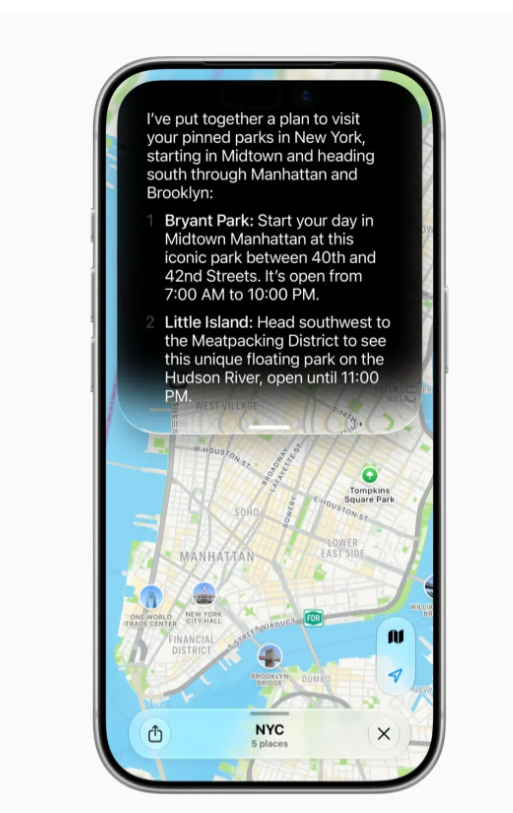
The arrival of Siri AI, powered by Apple's native Foundation Models, changes the game. Siri is no longer just executing a matching voice macro — it reads your screen, cross-references your personal database via the system's semantic index, and handles complex multi-step workflows natively across different apps. This guide covers how to stop chatting with your phone and start automating it.
Three core engines — how they work.
Building your first generative shortcut pipeline.
- Open the Settings app on your compatible iPhone (15 Pro or M-series device required).
- Navigate to Apple Intelligence & Siri.
- Ensure Apple Intelligence is toggled On and complete any waitlist sign-up.
- (Optional) Under the same menu, configure ChatGPT integration or Google Gemini if you want Siri to offload complex world-knowledge tasks to external models when needed.
- Launch the native Shortcuts app and tap the + icon to create a new workflow.
- Add your primary input action — search for and select "Get Details of Safari Web Page" or "Get Latest Emails".
- Search for the new "Use Model" action (under the Apple Intelligence category) and drop it into the sequence.
- Set the model parameter to On-Device (maximum speed and privacy) or Private Cloud Compute (heavy linguistic analysis).
- In the prompt field, write your structured prompt template with the previous step's output passed as a variable:
- Check the Follow Up box to enable a pop-up interaction loop for refining Siri's output before it moves to the next step.
- Add a final action — search for "Send Message via Slack" or "Create Note in Notion".
- Bind the Response variable from the "Use Model" step into the text body of your communication action.
- Save the Shortcut with a natural name like "Analyze Feedback". You can now trigger this entire multi-app AI pipeline simply by telling Siri: "Analyze Feedback."
Legacy Siri vs. Siri AI — the full delta.
| Automation Capability | Legacy Siri · Heuristic | Siri AI · Generative |
|---|---|---|
| Context Retention | Resets after every isolated query | Fully conversational; deep multi-turn context |
| Data Scraping | Cannot read non-text UI elements | Onscreen awareness logs spatial + textual entities |
| App Bridging | Requires hard-coded Shortcut pathways | Intelligently strings diverse App Intents schemas |
| Filler Handling | Fails if user self-corrects mid-speech | Naturally ignores pauses, stuttering, rephrasing |
| Privacy Architecture | Cloud-heavy; standard remote servers | Cryptographic on-device + Private Cloud Compute |
The operating system itself is now the AI layer — not an add-on, not an app.
Just as "Vibe Coding" stripped away tedious syntax, the new Siri AI removes the programmatic friction of configuring mobile workflows. By understanding how App Intents map onto your phone's apps, you can control your entire digital landscape through natural language. The keyboard bottleneck is officially breaking down — it's time to let your voice run the show.
Building with Apple Intelligence APIs? Route every model through one key.
Apple Intelligence supports third-party model integrations — Gemini, ChatGPT, Claude. If you're building iOS apps that route queries across these models, ai.cc gives you one OpenAI-compatible API key across all of them — one dashboard, one invoice, zero model-specific SDKs.
Get started at www.ai.cc →