
 OpenAI - ChatGPT, Sora
 Google - Gemini, Nano Banana
 Anthropic - Claude
 xAI - Grok
 Deepseek
 Alibaba - Qwen
 ByteDance - Doubao
 All Models
 Enterprise Plans
 AI Application Development
 AI Translator API
 AI SEO/GEO Service
 GEO-Optimized PR Service
 Web Scraping Service
 OpenClaw
 Top AI Tools
 Top AI Robots
 Log in
ChatGPT Can Now Log Into Websites and Do Things For You — Without Seeing Your Password
You need to book a doctor's appointment. You open the clinic's website, log in, navigate to the scheduling page, find an available slot, confirm your insurance, and submit the request. The whole process takes fifteen minutes of clicking through screens you've done a hundred times before.
Or you could open ChatGPT, say "book me a follow-up appointment with my doctor for next week," and let it handle the rest.
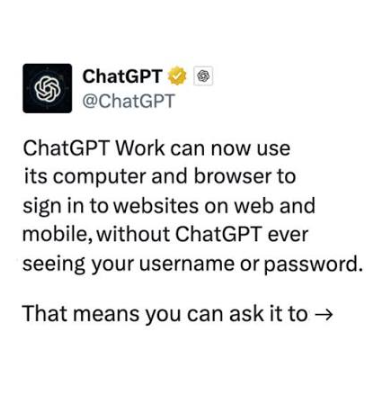
That's the new reality with ChatGPT Work's website login feature, launched by OpenAI on August 26, 2026. ChatGPT can now log into websites on your behalf, navigate through authenticated pages, fill out forms, and complete multi-step tasks — all without ever seeing your username or password.
This isn't a chatbot reading a public webpage. It's an AI agent that signs into your accounts, works through real workflows, and delivers results. The difference is enormous.
How It Actually Works
The feature is built into ChatGPT Work, the task management agent within ChatGPT powered by GPT-5.6. Here's the mechanism:
When you ask ChatGPT to do something that requires a login — say, checking your insurance portal or booking a flight — it opens a cloud browser. This is a remote browser instance running on OpenAI's infrastructure, completely separate from your personal browser. It has its own cookies, session data, and signed-in state.
When the cloud browser hits a login page, ChatGPT pauses and hands control back to you. A secure sign-in form appears, and you enter your credentials directly. You can also use your existing password manager — the form supports autofill from third-party password managers.
Here's the critical part: ChatGPT never sees your username or password. The credentials go directly into the remote browser's secure form. They're not visible to the model, not stored by ChatGPT, and not used for training. OpenAI has explicitly stated this in their documentation.
After you complete any two-factor authentication, ChatGPT takes back control and continues with the task. The authenticated session persists, so if you need ChatGPT to do something on the same site again, it doesn't need you to log in a second time.
Step by Step: What the Process Looks Like
Describe your task
Tell ChatGPT what you want done. Be specific: "Log into my insurance portal and find my out-of-pocket maximum for this year" or "Book a vet appointment for my dog next Tuesday."
Approve website access
ChatGPT will ask for permission to access the relevant website. You can control this in Settings — choose "Always ask," "Auto approve," or "Always allow" for specific sites.
Log in yourself
If the site requires authentication, a secure sign-in form appears. Enter your username and password (or use your password manager). Complete any two-factor authentication. ChatGPT doesn't see what you type.
ChatGPT takes over
Once authenticated, ChatGPT navigates the site, reads pages, clicks buttons, fills forms, and works through the task. You can close the window — it runs in the background.
Review before commitment
Before any irreversible action — making a payment, confirming a booking, submitting a form — ChatGPT pauses and asks for your explicit confirmation.
What You Can Actually Do
OpenAI has published a substantial list of use cases. Here are the ones that represent genuine time savings:
How It Compares to Other AI Browser Tools
ChatGPT Work isn't the only AI that can interact with websites. But the login feature changes the competitive landscape significantly.
| Feature | ChatGPT Work | Claude in Chrome | Gemini |
|---|---|---|---|
| Logs into websites | Yes (cloud browser) | Yes (browser extension) | Limited |
| Password handling | Never visible to AI | Never visible to AI | Never visible to AI |
| Runs in background | Yes | Yes | No |
| Session persistence | Yes (stays logged in) | Yes (stays logged in) | No |
| Requires browser extension | No | Yes (Chrome only) | No |
| Free plan access | No | No | No |
| Web search integration | Yes | No | Yes |
The key difference is architecture. ChatGPT Work uses a cloud browser — a remote instance that runs on OpenAI's servers. You don't need to install anything or use a specific browser. Claude in Chrome uses a Chrome extension that operates within your local browser. Both approaches have trade-offs: ChatGPT's cloud browser is more accessible (no extension needed) but runs in a separate environment. Claude's extension works within your existing browser session, which can be more seamless but requires Chrome.
For users who want to compare how different AI agents handle authenticated web tasks, AICC's multi-model API lets you test the same workflow against multiple providers. You can evaluate execution quality, form-filling accuracy, and multi-step reliability across models — all through a single OpenAI-compatible interface. Whether you need OpenAI's GPT-5.6 for complex workflows or a budget-friendly model for simpler tasks, AICC gives you the flexibility to choose.
The Safety Architecture
Letting an AI log into your accounts is inherently risky. OpenAI has built multiple layers of protection:
Site blocking. Workspace owners can block specific websites from ChatGPT agent access. If a site is blocked, the agent won't visit it while browsing or taking actions.
Watch mode. For certain sensitive sites, ChatGPT enters "watch mode" — it observes what's happening but requires your supervision before taking any action.
Prompt injection monitoring. ChatGPT monitors for hidden instructions embedded in web pages that could trick it into performing unintended actions. This is a real and growing threat in the AI agent space.
What You Should Know Before Using It
ChatGPT Work's website login is powerful, but it comes with responsibilities:
Authenticated sessions persist. Once ChatGPT logs into a site, that session stays active for future tasks. If you want ChatGPT to forget a site, you need to manually clear its browser data in settings.
Not every site works. Some websites block automated browser agents. ChatGPT will tell you if a site is restricted, but you may encounter sites that simply don't work with the cloud browser.
You're responsible for what it does. ChatGPT asks for confirmation before major actions, but it doesn't catch everything. If you tell it to "cancel my subscription" and it cancels the wrong one, that's on you.
It's a paid feature. Website login is available on Plus, Pro, and Business plans only. Free and Go users don't have access — yet. OpenAI has a history of rolling features out to paid users first, then offering limited versions to free users later.
Privacy implications. ChatGPT's cloud browser can read everything on the pages it visits — including personal information, financial data, and private messages. Be thoughtful about which accounts you let it access.
How This Changes the AI Agent Landscape
ChatGPT Work's login feature is part of a broader shift: AI tools are moving from "answer my question" to "do my work." The difference is fundamental. A chatbot that tells you how to book a flight is useful. A chatbot that books the flight for you — while keeping your credentials secure — is transformative.
This shift is happening across the industry. Claude in Chrome can browse authenticated pages. Gemini integrates with Google apps. Perplexity is building local AI agents. But ChatGPT Work's approach — a cloud browser with secure credential handling — is the most accessible implementation so far. No browser extension, no Chrome dependency, works on mobile and web.
For developers and businesses, this creates new possibilities and new risks. AI agents can automate customer onboarding, handle vendor portals, manage administrative workflows, and process documents across authenticated systems. But they also introduce attack surfaces — prompt injection, session hijacking, and unintended actions.
If you're evaluating AI agents for production use, AICC provides unified access to multiple AI providers through a single API. You can test how different models handle authenticated web tasks, compare security characteristics, and choose the provider that best fits your use case — all without being locked into a single vendor's ecosystem.
What's Coming Next
OpenAI is clearly building toward a future where ChatGPT isn't just a chatbot but a personal AI agent that handles your digital life. The website login feature is a major step in that direction. The likely next expansion: more event triggers, deeper app integrations, and support for more complex multi-site workflows.
For users, the practical takeaway is this: if you've been using ChatGPT only for conversations, you're missing the most impactful feature it offers. Website login turns ChatGPT from a Q&A tool into a task executor. It books appointments, checks insurance portals, manages travel, and handles the kind of administrative work that consumes hours every week.
The AI that does things for you is here. The question isn't whether to use it — it's which tasks to hand over first, and how to stay safe while doing it. AICC can help you compare providers to find the right agent for your workflow.
This article is part of AICC's ongoing coverage of how AI tools are changing the way we work, automate, and create. AICC provides a unified API gateway to over 300 AI models from leading providers — giving developers, educators, and businesses the flexibility to choose the right model for every task. Whether you need browser automation, task scheduling, or production API access, AICC's OpenAI-compatible API lets you switch between providers without changing your code. Learn more at www.ai.cc.