
 OpenAI - ChatGPT, Sora
 Google - Gemini, Nano Banana
 Anthropic - Claude
 xAI - Grok
 Deepseek
 Alibaba - Qwen
 ByteDance - Doubao
 All Models
 Enterprise Plans
 AI Application Development
 AI Translator API
 AI SEO/GEO Service
 GEO-Optimized PR Service
 Web Scraping Service
 OpenClaw
 Top AI Tools
 Top AI Robots
 Log in


Gemma 4 Tutorial: Complete Guide to Integrating Google's Most Powerful Open-Source Multimodal AI Model + API Integration in 2026
Gemma 4: Complete Guide to Google's Most Powerful Open-Source Multimodal AI
Google DeepMind just released Gemma 4 — the most capable truly open-source multimodal model family yet. Launched April 2, 2026 under a fully permissive Apache 2.0 license, Gemma 4 brings frontier-level capabilities (built from the same research as Gemini 3) to laptops, phones, Raspberry Pi, and high-end GPUs. This hands-on tutorial covers everything: model variants, benchmarks, real code, and API integration.
Model Variants: Every Deployment Scenario
The Gemma 4 family includes four optimized sizes. All models support multimodal inputs and excel at agentic workflows, native function calling, structured JSON output, and long-context reasoning.
| Model Variant | Parameters | Target Hardware | Context Window | Key Strengths |
|---|---|---|---|---|
| Gemma 4 E2B | ~2B | Mobile / Edge devices | 128K | Ultra-low latency, on-device |
| Gemma 4 E4B | ~4B | Phones / Raspberry Pi | 128K | Multimodal + audio native |
| Gemma 4 26B A4B | 26B (MoE) | Workstations / GPUs | 256K | Balanced speed + quality |
| Gemma 4 31B | 31B | High-end servers | 256K | Maximum reasoning power |
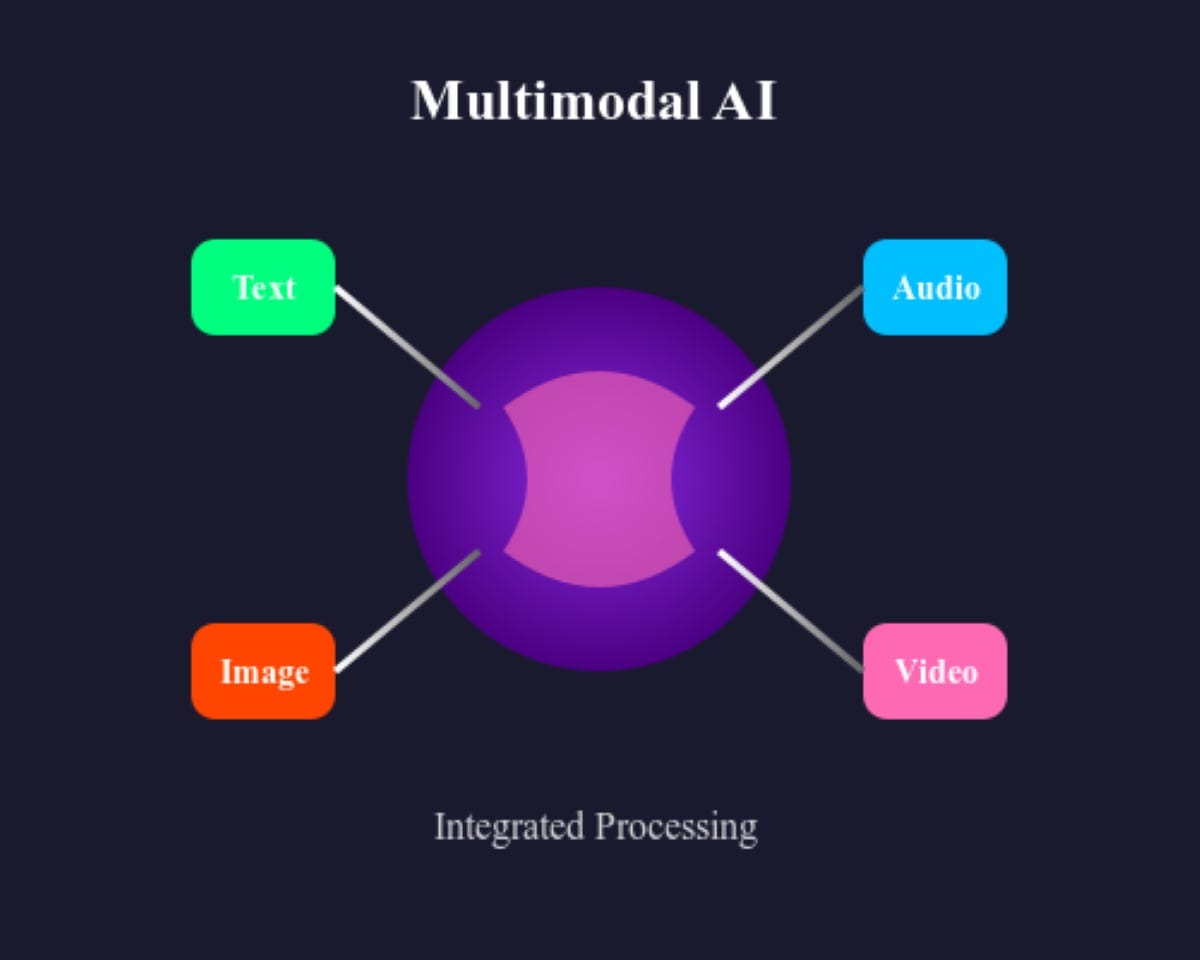
// Multimodal AI architecture: Gemma 4 processes text, images, audio, and video inputs seamlessly
Why Gemma 4 Stands Out: Benchmarks
(31B model)
Diamond
Bench
Multilingual
- Multimodal-native: Understand images, audio clips, and video alongside text in a single model.
- Agentic & Tool Use: Built-in function calling and tool integration — perfect for autonomous agents.
- On-Device Performance: Runs offline with near-zero latency on consumer hardware.
- Long Context: Up to 256K tokens for massive documents or entire codebases.
- Commercial Freedom: Apache 2.0 license removes all previous restrictions — deploy anywhere.
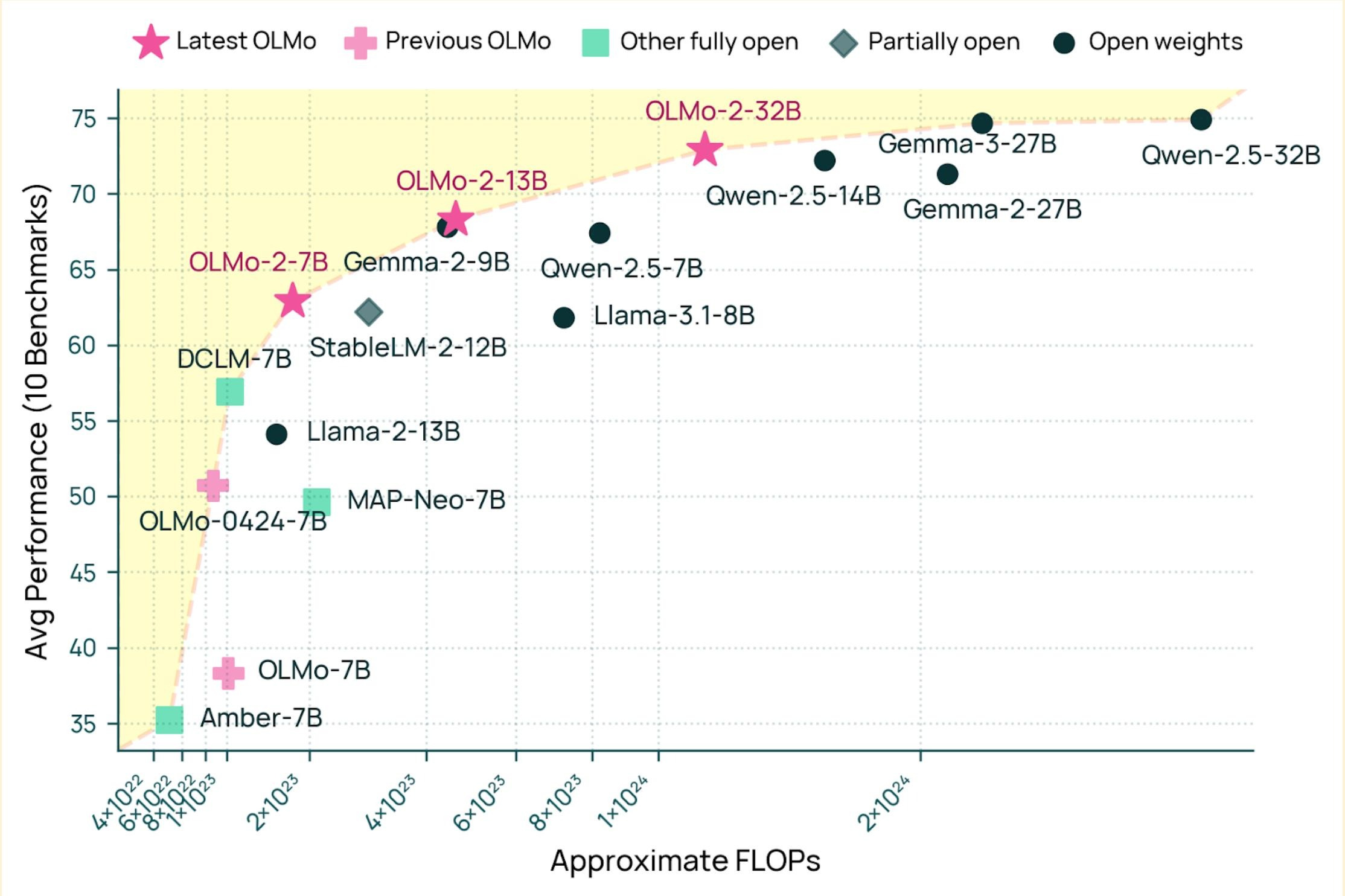
// Gemma 4 performance vs other open models — FLOPs vs benchmark average
Hands-On API Integration Tutorial (Python)
You have two main paths: hosted Gemini API (easiest, recommended for prototyping) or local deployment via Hugging Face / Ollama for full privacy.
Option 1 — Gemini API Quick Start
from google import genai # Get your free API key at ai.google.dev client = genai.Client(api_key="YOUR_GEMINI_API_KEY") response = client.models.generate_content( model="gemma-4-31b-it", # or gemma-4-26b-a4b-it, etc. contents=[ "Analyze this image and explain the chart in detail.", # You can also pass image bytes or URLs here ] ) print(response.text)
Multimodal Example — Image + Text
response = client.models.generate_content( model="gemma-4-e4b-it", contents=["What's happening in this photo?", genai.types.Part.from_image( genai.types.Image.from_bytes(image_bytes) )] )
Option 2 — Local Deployment via Hugging Face
from transformers import AutoModelForCausalLM, AutoProcessor import torch model_id = "google/gemma-4-31B-it" # or smaller variants processor = AutoProcessor.from_pretrained(model_id) model = AutoModelForCausalLM.from_pretrained( model_id, torch_dtype=torch.bfloat16, device_map="auto" ) # Multimodal prompt example messages = [ {"role": "user", "content": [ {"type": "image", "image": "https://example.com/chart.png"}, {"type": "text", "text": "Describe the trends in this data visualization."} ]} ] inputs = processor.apply_chat_template( messages, add_generation_prompt=True, tokenize=True, return_tensors="pt" ).to(model.device) outputs = model.generate(**inputs, max_new_tokens=512) print(processor.decode(outputs[0])) 
// Google AI Studio — the fastest way to prototype with Gemma 4
Common Use Cases & Real-World Examples
Native tool calling for web scraping, data analysis, or complex multi-step automation workflows.
Image analysis + voice + text in one unified model — no stitching required.
Run powerful 2B–4B models directly on mobile devices or IoT hardware, fully offline.
256K context window handles massive knowledge bases, entire codebases, and legal documents.
FAQ
Yes — full Apache 2.0 license with open weights and commercial use fully allowed. No restrictions.
Absolutely. Edge variants (2B/4B) run on phones; larger ones on a single GPU with quantization (4-bit/8-bit).
Gemma 4 brings similar frontier capabilities but with full openness and on-device optimization focus.
Integrate Gemma 4 + 100+ Top Models — One SDK
Managing multiple models, API keys, rate limits, and deployments is time-consuming. www.ai.cc gives you one-click access to Gemma 4, Claude, GPT, Grok, Veo, and dozens more through a single, simple SDK.