
 OpenAI - ChatGPT, Sora
 Google - Gemini, Nano Banana
 Anthropic - Claude
 xAI - Grok
 Deepseek
 Alibaba - Qwen
 ByteDance - Doubao
 All Models
 Enterprise Plans
 AI Application Development
 AI Translator API
 AI SEO/GEO Service
 GEO-Optimized PR Service
 Web Scraping Service
 OpenClaw
 Top AI Tools
 Top AI Robots
 Log in












GPT-5.4 Native Computer Control Tutorial: Master AI Desktop Automation in Just 5 Minutes (Full API + Playwright Guide)
2026-03-17

AI AUTOMATION • 2026
GPT-5.4 Native Computer Control Tutorial
Master AI Desktop Automation in 5 Minutes — Full API + Playwright Guide
OpenAI just dropped GPT-5.4 — introducing native computer use that fundamentally changes automation.
For the first time, a general-purpose AI can see your screen, then click, type, scroll, and drag just like a human — no plugins required.
On OSWorld benchmark, it scores 75.0%, surpassing human experts.


Example: tell it to open Chrome, find an invoice, and reply — it will actually do it.
What You’ll Learn
- Activate computer control in ChatGPT
- Production-ready API + Playwright setup
- Real use cases + safety tips
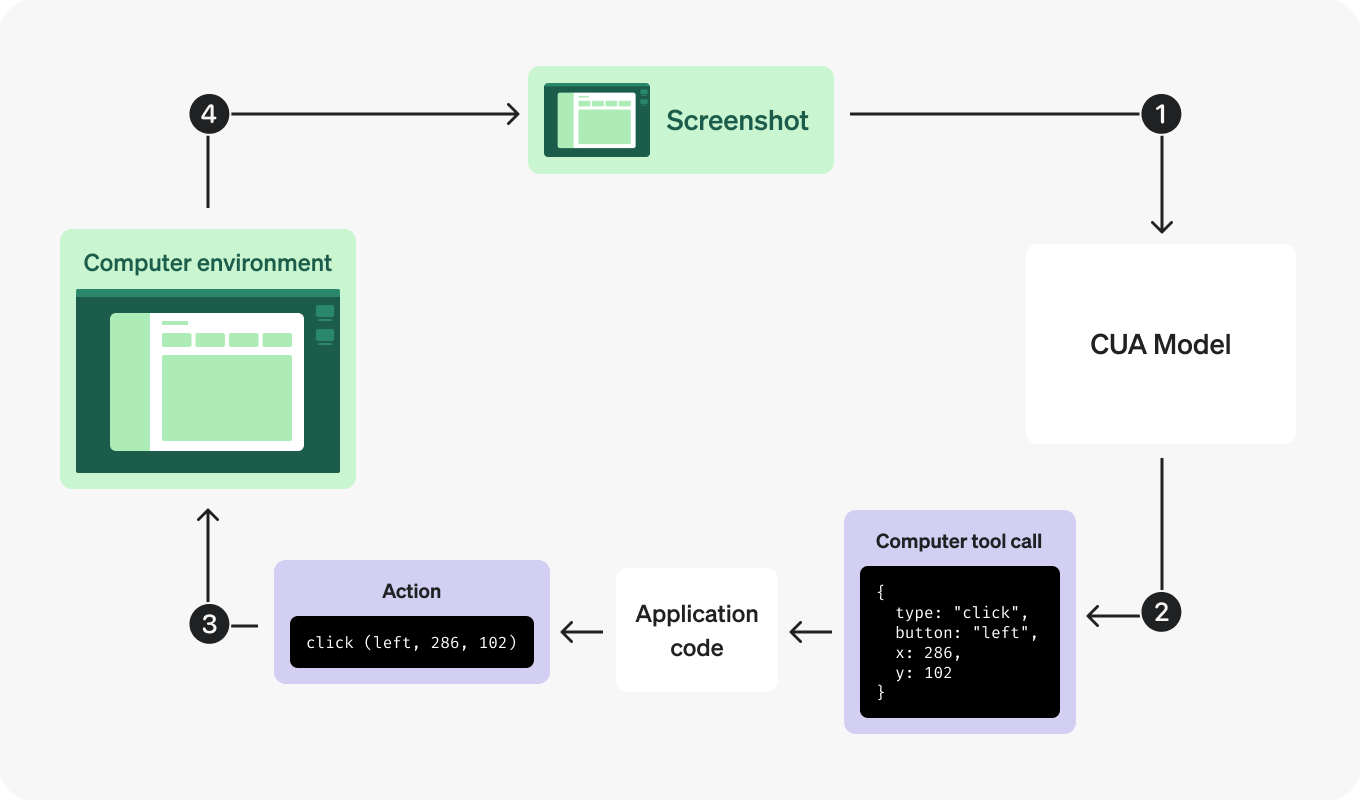
How It Works (The Loop)
- Give a task
- Analyze screenshot
- Return actions
- Execute actions
- Repeat until done
Step 1: Instant Demo
- Go to chatgpt.com
- Select GPT-5.4 Thinking
- Ask it to search Google
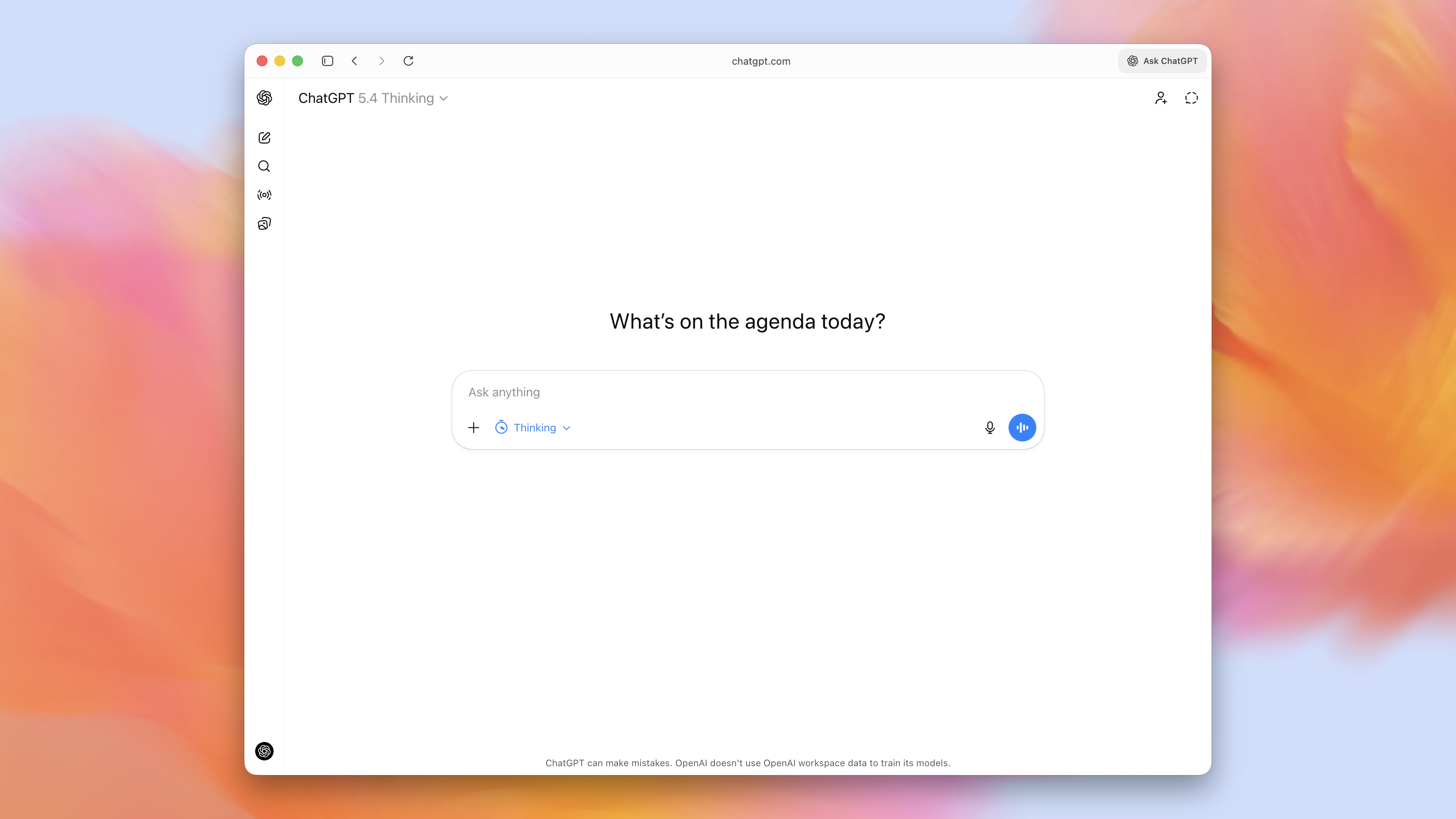
ChatGPT version is preview-only. Full automation requires API.
Step 2: API Setup
Prerequisites
- API key
- Python 3.10+
- pip install openai playwright
- playwright install chromium
Full Working Code
from openai import OpenAI from playwright.sync_api import sync_playwright import base64 client = OpenAI( api_key="your-key", base_url="https://api.ai.cc/v1" ) def capture(page): return base64.b64encode(page.screenshot()).decode() with sync_playwright() as p: browser = p.chromium.launch(headless=False) page = browser.new_page() page.goto("https://example.com") response = client.responses.create( model="gpt-5.4", tools=[{"type": "computer"}], input="Search latest AI news" ) while True: call = next((x for x in response.output if x.type=="computer_call"), None) if not call: break for act in call.actions: if act.type=="click": page.mouse.click(act.x, act.y) elif act.type=="type": page.keyboard.type(act.text) response = client.responses.create( model="gpt-5.4", previous_response_id=response.id, tools=[{"type":"computer"}], input=[{ "type":"computer_call_output", "call_id":call.call_id, "output":{ "type":"computer_screenshot", "image_url":"data:image/png;base64,"+capture(page) } }] ) Use Cases
- Marketing automation
- Sales lead scraping
- Web testing
- Financial reporting
Safety Rules
- Use isolated environments
- Require confirmation for risky actions
- Monitor usage
Pricing
- ChatGPT Plus: $20/month
- OpenAI API: standard pricing
- ai.cc: lower cost alternative
FAQ
Can I use without coding? Yes, but limited.
Is ai.cc same as OpenAI? Compatible API, cheaper.
Better than Claude? Higher benchmark score.
Ready to Automate Your Workflow?
Copy the code, run it in minutes, and let AI do the work.