
 OpenAI - ChatGPT, Sora
 Google - Gemini, Nano Banana
 Anthropic - Claude
 xAI - Grok
 Deepseek
 Alibaba - Qwen
 ByteDance - Doubao
 All Models
 Enterprise Plans
 AI Application Development
 AI Translator API
 AI SEO/GEO Service
 GEO-Optimized PR Service
 Web Scraping Service
 OpenClaw
 Top AI Tools
 Top AI Robots
 Log in












Claude Now Works Seamlessly Across Word, Excel, and PowerPoint: The Complete Microsoft Office Integration Guide (2026 Update)
Claude Now Works Seamlessly Across Word, Excel, and PowerPoint
Anthropic's latest April 2026 update has made Claude a true native partner inside Microsoft 365. The add-ins for Excel, PowerPoint, and Word now share full conversation context across apps — no more copying data or repeating instructions. You can analyze numbers in Excel, turn them into slides in PowerPoint, and draft the final report in Word — all while Claude remembers every detail.
Breaking News: Shared Context Across the Full Office Suite
- Start in Excel → analyze data and build charts.
- Switch to PowerPoint → Claude instantly uses the same analysis to create formatted slides.
- Move to Word → Claude pulls everything together into a polished document.
This eliminates the usual friction of exporting, pasting, and reformatting.
How to Set It Up and Use It
- Install the Add-ins
In any Office app, go to Insert → Get Add-ins → search "Claude by Anthropic". Available for Windows, Mac, and Web versions of Word, Excel, and PowerPoint. Requires a paid Claude plan (Pro, Team, or Enterprise). - Claude for Excel
The sidebar appears directly in your spreadsheet. Highlight cells or ranges and ask Claude to:- Generate formulas
- Create pivot tables and charts
- Clean data
- Build financial models
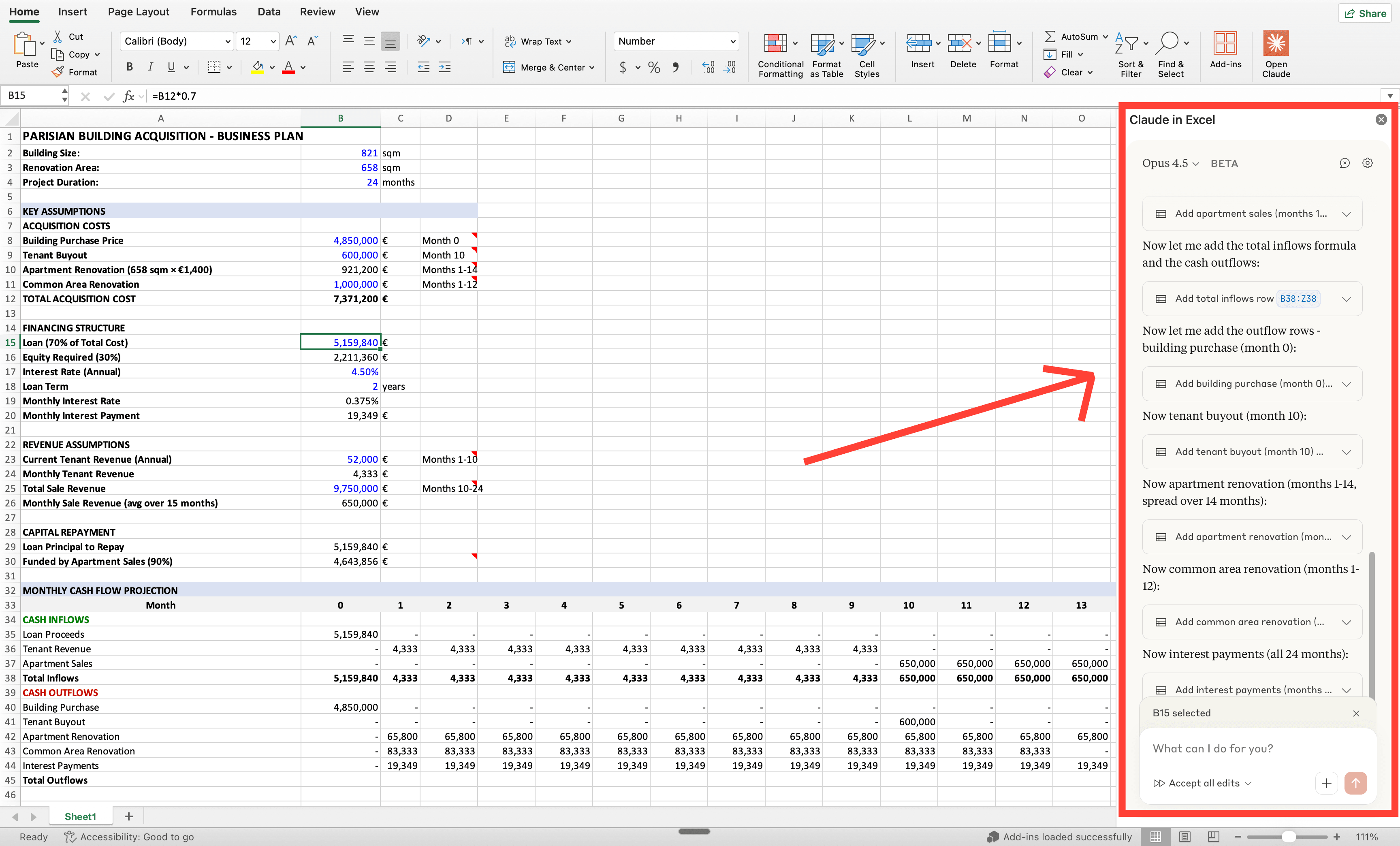
// How to install Claude Excel — by Ruben Hassid (How to AI)
- Claude for PowerPoint
It reads your template, colors, and layout automatically. You can:- Turn bullet points into professional charts
- Generate entire slide decks from Excel data
- Refine text and visuals in one go
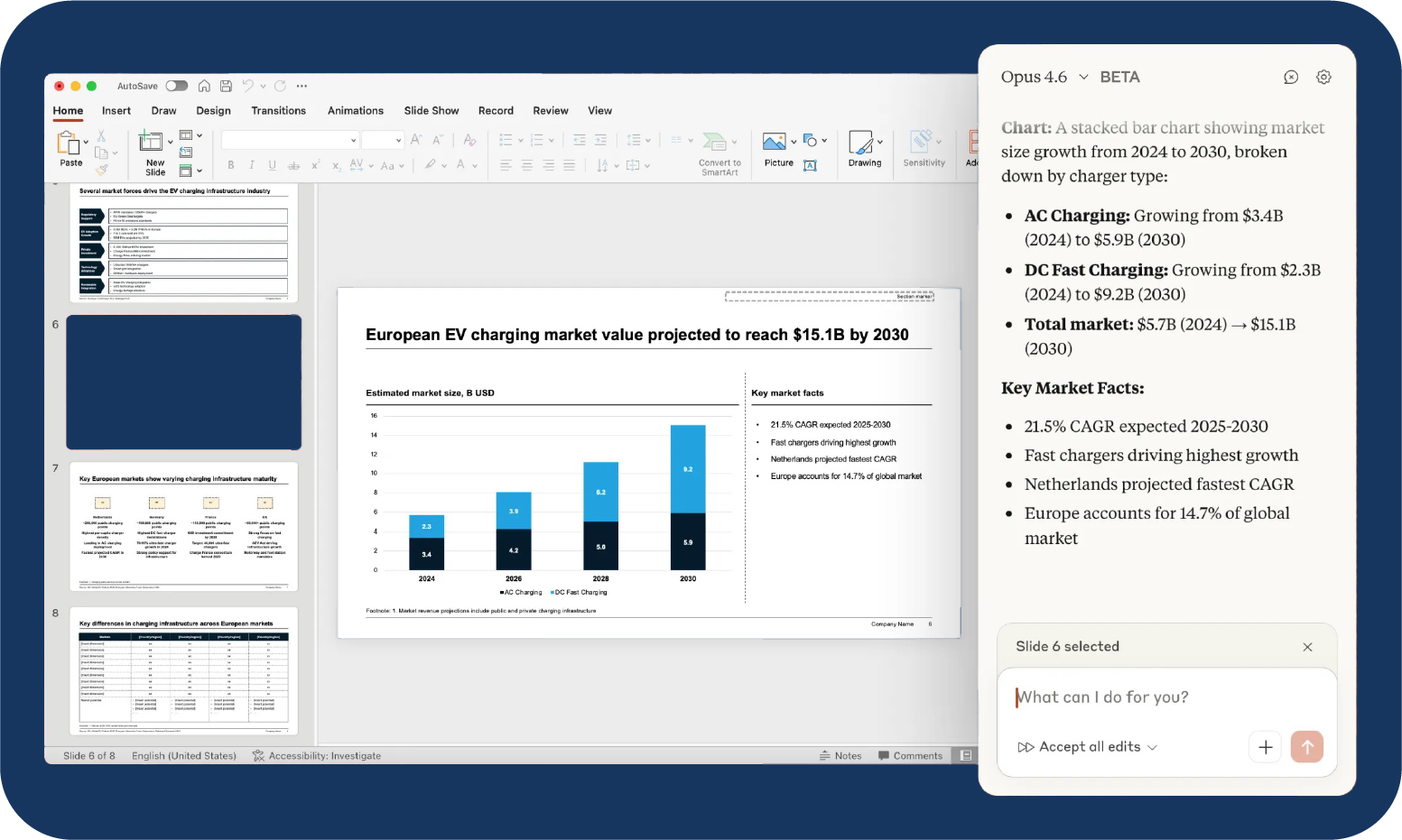
// Claude for PowerPoint: how it works, setup, limitations, and enterprise solutions
- Claude for Word
Perfect for long documents. It handles:- Drafting and rewriting sections
- Tracking and responding to comments
- Redlining changes while preserving formatting and style
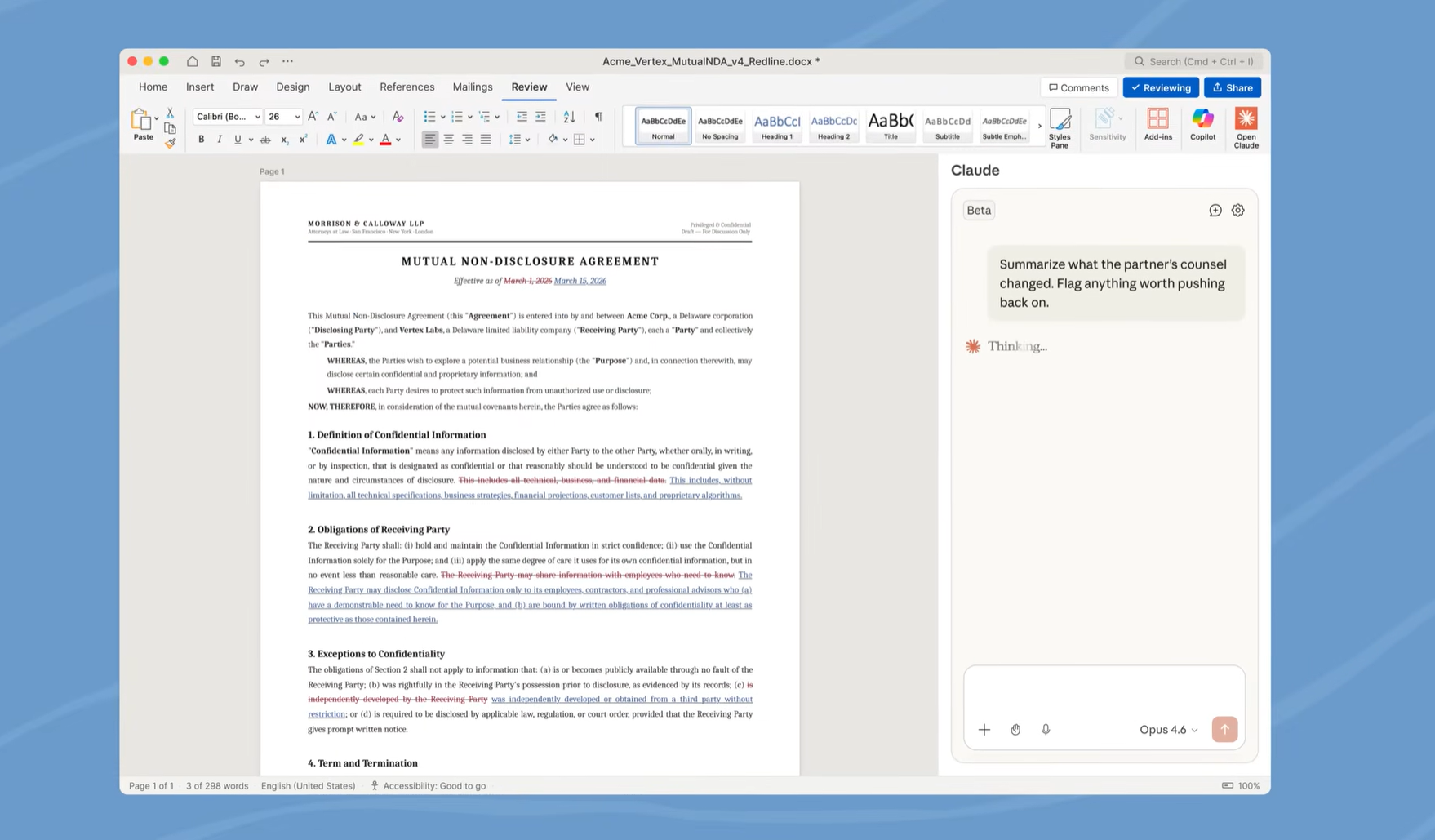
- Cross-App Context in Action (Real Workflow Example)
Open an Excel file with Q1 sales data. Ask Claude: "Summarize key insights and prepare charts." Switch to a blank PowerPoint → say: "Create a 8-slide executive presentation using the latest Excel analysis." Claude pulls the data automatically and builds the deck. Finally, open Word and ask it to write the accompanying report — everything stays in context.
Quick Tips for Best Results
- Keep files open in the same session for seamless context sharing.
- Use specific prompts: reference cell ranges, slide numbers, or document sections.
- Save frequent tasks as reusable "Skills" inside the add-in for one-click automation.
- Enterprise teams can deploy via Amazon Bedrock or Microsoft Foundry for tighter security and control.
The official add-ins deliver the most natural in-app experience for daily Office work. For teams that want to scale further — building automated pipelines, custom agents, or running Claude at lower cost across thousands of documents — many use a single API layer for extra flexibility and reliability.
If you're already working with Claude in Office and want to extend these workflows programmatically, www.ai.cc provides clean, cost-effective single-API access to Claude models alongside dozens of other top LLMs.
Have you installed the new Claude Office add-ins yet? What's the first workflow you plan to automate? Share in the comments.