
 OpenAI - ChatGPT, Sora
 Google - Gemini, Nano Banana
 Anthropic - Claude
 xAI - Grok
 Deepseek
 Alibaba - Qwen
 ByteDance - Doubao
 All Models
 Enterprise Plans
 AI Application Development
 AI Translator API
 AI SEO/GEO Service
 GEO-Optimized PR Service
 Web Scraping Service
 OpenClaw
 Top AI Tools
 Top AI Robots
 Log in














How to Use Codex: OpenAI's "Codex for (Almost) Everything" Update
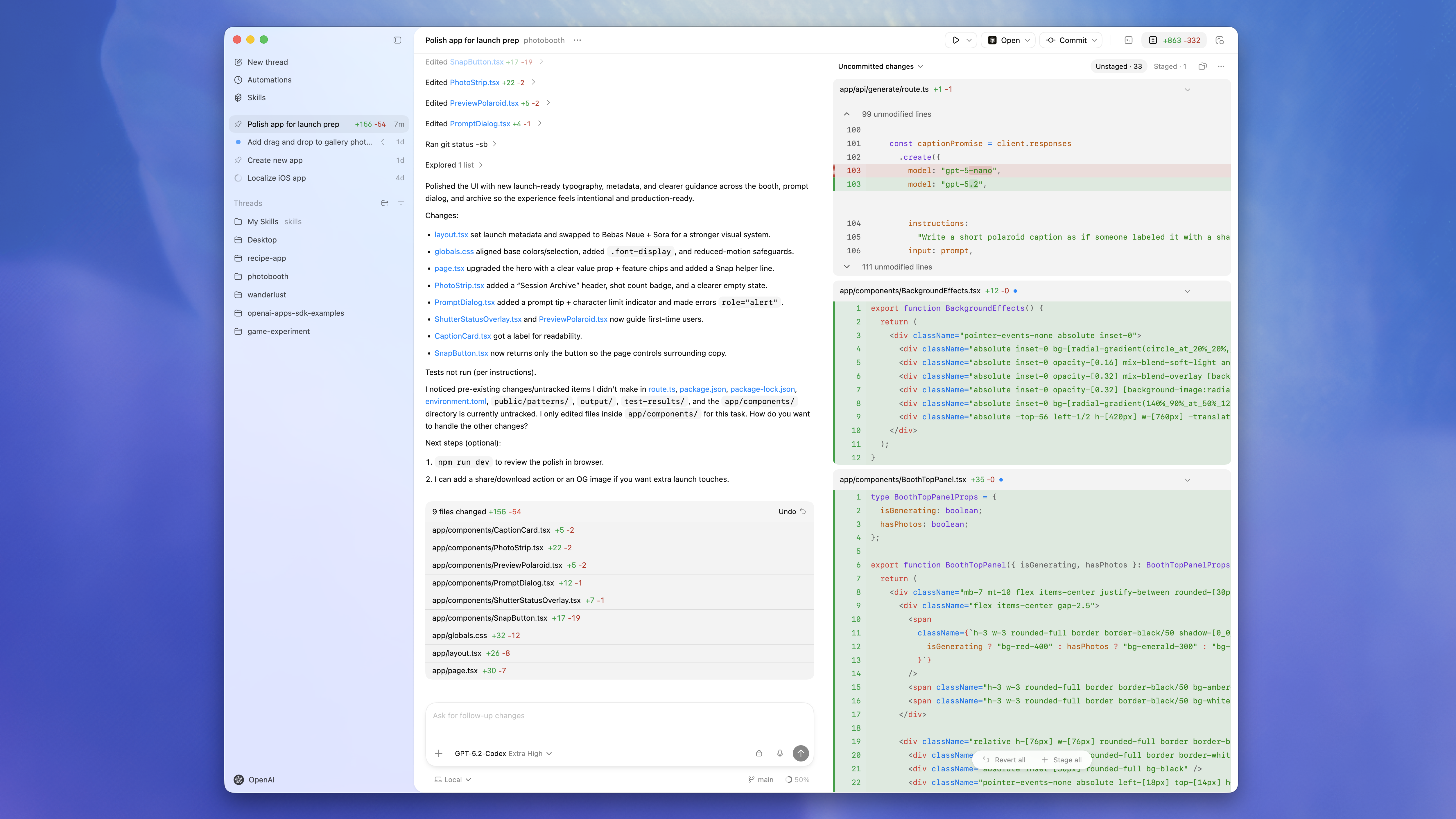
As a senior technology writer with over a decade of experience optimizing content for AI-driven workflows, I've watched OpenAI's tools evolve from helpful coding assistants to true productivity powerhouses. The latest Codex update, released on April 16, 2026, is a massive leap forward. Officially titled "Codex for (almost) everything," it transforms the desktop app into a full-fledged AI workspace that can control your Mac, browse the web natively, generate images, remember your preferences, and handle repeatable tasks in the background.
If you're a developer, designer, or anyone tired of switching between apps and tabs, learning how to use Codex right now will give you a serious edge. In this guide, I'll walk you through the new features step by step, with practical tips drawn from real-world testing and developer feedback.
What's New in Codex (April 2026 Update)
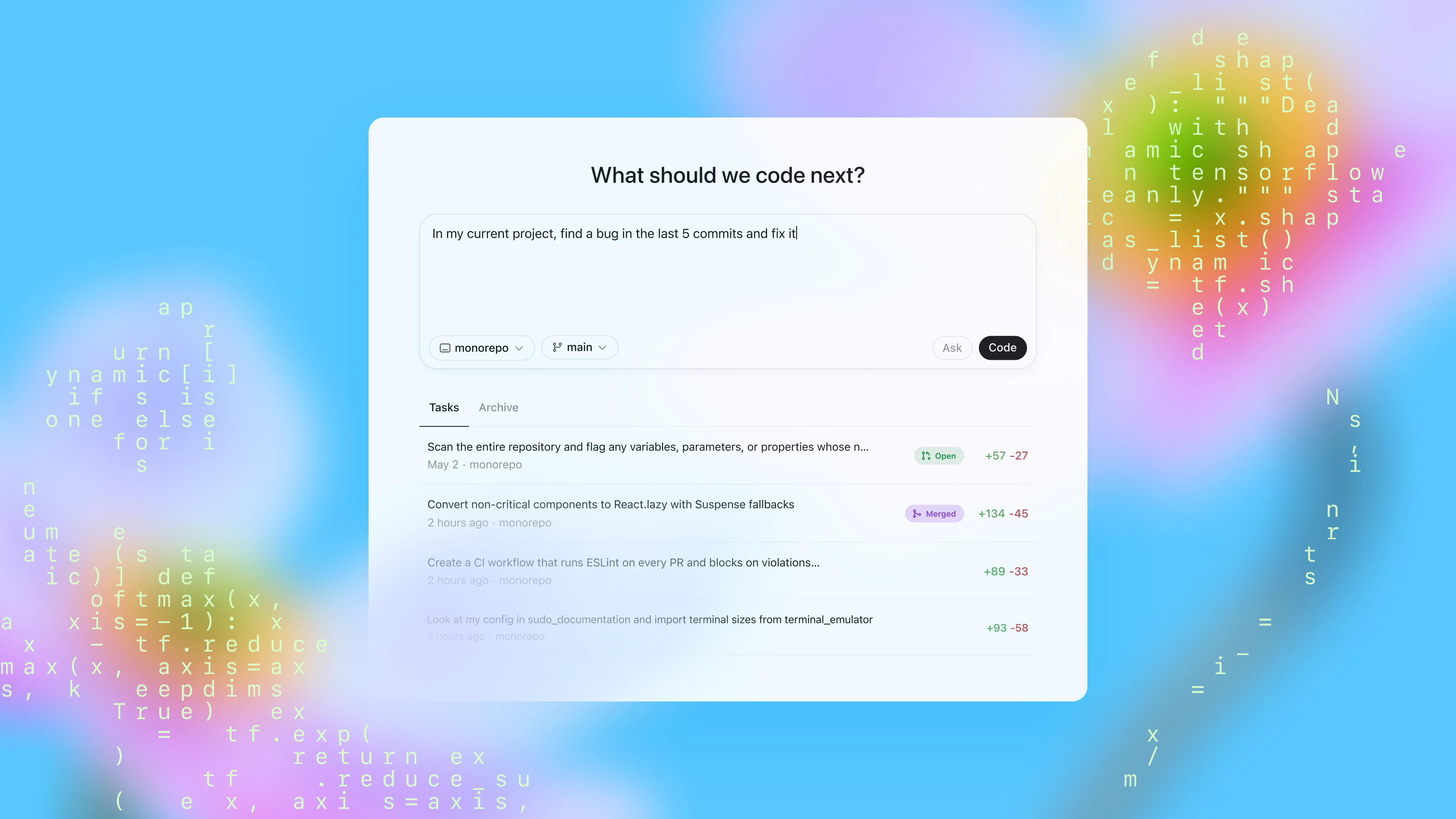
OpenAI has taken Codex far beyond code generation. With over 3 million weekly active users, the team focused on making it a true agent that works alongside you instead of just responding to prompts. Key additions include:
Background Computer Use (Mac-first)
Codex runs with its own cursor, sees your screen, clicks, types, and operates any desktop app — all while you continue working uninterrupted.
In-app Browser
No more tab-switching. Preview websites, comment directly on elements, and give precise visual feedback to the agent.
Built-in Image Generation
Powered by gpt-image-1.5, create visuals, mockups, charts, and game assets directly inside your workflow.
Memory & Personalization
Codex remembers your habits, project context, and past actions for smarter, ongoing automation.
90+ Plugins + Enhanced Dev Tools
Multi-terminal support, SSH to remote devboxes, PR reviews, file previews, and more.
These features position Codex as the foundation of OpenAI's emerging "super app" for knowledge work.

How to Use Codex: Step-by-Step Setup & New Features
Getting started is straightforward. Here's exactly how to use Codex with the latest update (Mac desktop app recommended — Windows support is growing fast).
- Download and Log In Head to the OpenAI Codex desktop app (available via your ChatGPT account). Sign in with the same credentials you use for ChatGPT Plus, Pro, or Enterprise. The April 2026 update rolls out automatically for eligible users.
- Enable Computer Use (The Game-Changer)
- Open Codex and start a new thread.
- Type a command like: "Open Figma and update the button colors on the pricing page while I keep working."
- Codex will request Accessibility and Screenshot permissions (one-time setup). Approve them, and it runs in the background with its own cursor.
- Pro tip: Run multiple agents simultaneously — one for frontend, another for testing — without slowing you down.
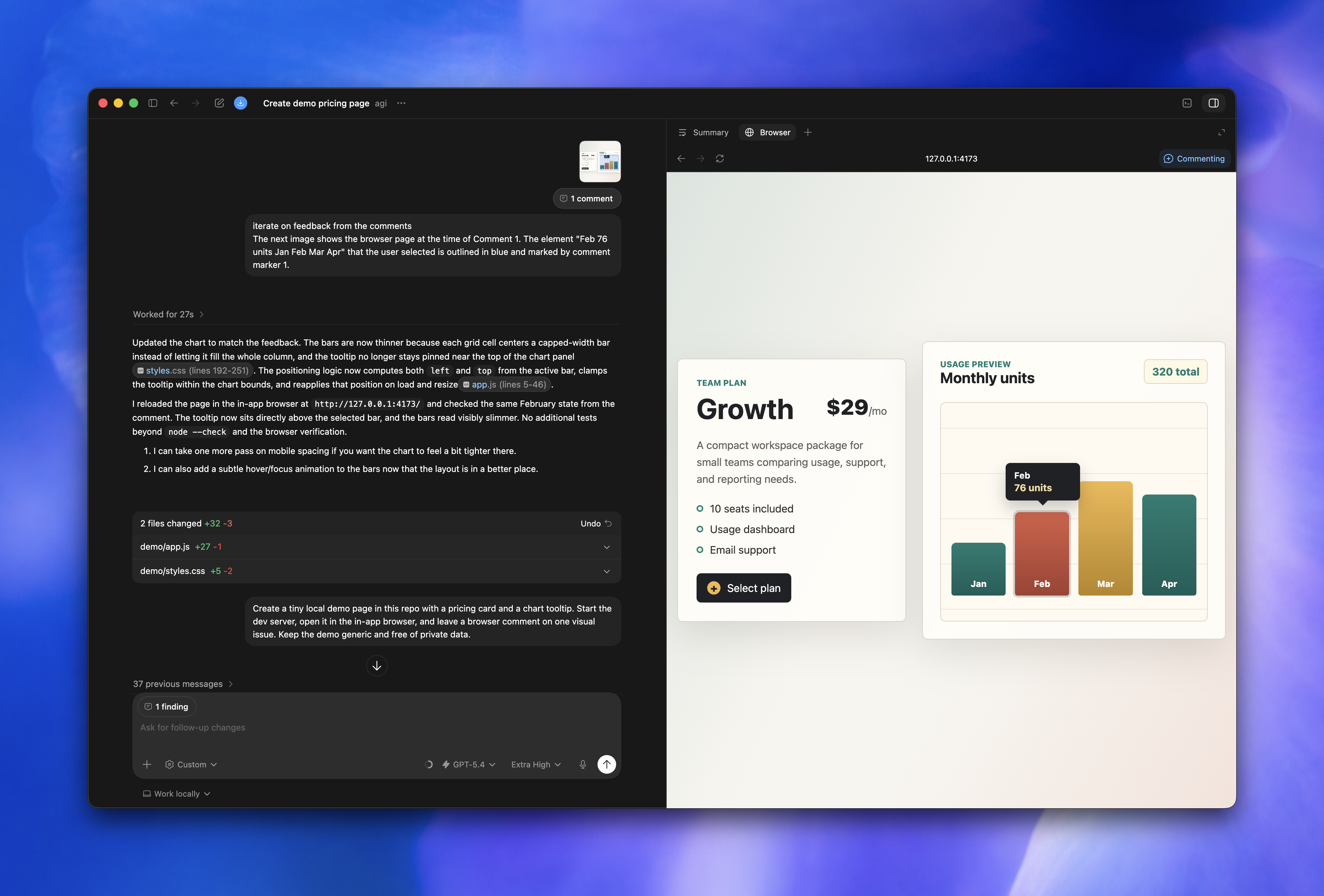
- Master the In-App Browser
- In any thread, ask Codex to "open the browser and load my local dev server."
- It renders the page inside Codex. Highlight elements, leave comments like "make this card 20% wider," and the agent iterates instantly.
- Perfect for frontend devs iterating on designs or QA teams validating flows.
- Generate Images Without Leaving the App
- Prompt directly: "Create a hero image for our new SaaS landing page in a modern 3D style."
- Codex uses gpt-image-1.5 to generate, refine, and even incorporate into your code or mockups. No context-switching needed.
- Leverage Memory for Repeatable Work
- Tell Codex your preferences once ("Always use Tailwind and dark mode for React components").
- It remembers across sessions, suggests automations, and handles recurring tasks like "run my weekly PR review checklist."
- Use computer control to open Xcode, fix the latest bug in my SwiftUI app, and commit the changes.
- Browse my deployed site, check mobile responsiveness, and suggest CSS fixes.
- Generate three mockup variations for our new feature and add them to the Figma file.
Why This Update Matters for Real Productivity
Tools like Codex don't just speed up coding — they free up mental bandwidth for high-level strategy. Whether you're building client sites, automating content pipelines, or scaling AI features, the background agent capability feels like having a tireless junior dev (or entire team) working silently in the background.
Early feedback from developers shows 2–3× faster iteration cycles, especially for frontend work, testing, and design handoffs.
And with pay-as-you-go options now available for teams, it's more accessible than ever.
Pro Tips
- Combine with your existing stackCodex plays nicely with GitHub, Figma, Slack, and 90+ plugins.
- Security firstReview permissions carefully — Computer Use only activates when you explicitly ask.
- Scale smarterFor production apps that need multiple models (beyond just GPT), consider unified APIs that let you switch providers instantly without rewriting code.
If you're already using Codex heavily, the new $100/month ChatGPT Pro tier gives you significantly higher limits — ideal for power users.
FAQ: Common Questions About How to Use Codex
Is the new Computer Use feature available on Windows yet?
It launched Mac-first, but OpenAI is expanding quickly. Check the desktop app for updates.
Do I need a special subscription to access the April 2026 features?
ChatGPT Plus or higher unlocks the full desktop app. Higher tiers give more usage quota.
How do I enable image generation inside Codex?
Just describe what you want in any thread — no extra API keys required.
Can Codex run multiple agents at once?
Yes! Start separate threads or use the new multi-agent workflows for parallel tasks.
Is my data private when Codex controls my computer?
Permissions are scoped to your explicit requests, and OpenAI follows strict enterprise-grade privacy standards.
What's the best way to learn advanced Codex automations?
Start simple, then experiment with memory features and plugins. The in-app browser makes visual feedback incredibly intuitive.
The Codex update is one of the most exciting AI releases of 2026 — it's not just about writing code anymore; it's about working with AI as a true partner.