
 OpenAI - ChatGPT, Sora
 Google - Gemini, Nano Banana
 Anthropic - Claude
 xAI - Grok
 Deepseek
 Alibaba - Qwen
 ByteDance - Doubao
 All Models
 Enterprise Plans
 AI Application Development
 AI Translator API
 AI SEO/GEO Service
 GEO-Optimized PR Service
 Web Scraping Service
 OpenClaw
 Top AI Tools
 Top AI Robots
 Log in




Claude Design by Anthropic: How This New AI Tool Is Changing Visual Creation in 2026
Claude Design by Anthropic: How This New AI Tool Is Changing Visual Creation in 2026
Just three days ago, on April 17, 2026, Anthropic Labs quietly dropped one of the most practical AI releases of the year: Claude Design. Powered by the brand-new Claude Opus 4.7 vision model, this research-preview tool lets anyone turn natural language prompts into polished prototypes, slide decks, one-pagers, landing pages, and marketing assets — no design degree or Figma subscription required.
)
As someone who has spent the past decade optimizing content for both Google and generative engines while testing every major AI creative tool, I can say this: Claude Design feels different. It’s not just another image generator — it’s a full conversational design workspace that understands brand systems, iterates intelligently, and hands off directly to code.
What Exactly Is Claude Design?
Claude Design is an AI-native visual creation tool built inside Claude.ai. It features a split interface: a chat panel on the left where you talk to Claude, and a live canvas on the right where designs appear in real time.
Unlike traditional design software, everything starts with conversation. You describe what you want (“Create a serene mobile meditation app prototype with calming typography, nature-inspired colors, and a clean layout”), and Claude generates an initial version. You then refine it through inline comments, direct text edits, or custom sliders that Claude creates on the fly for spacing, colors, typography, and layout.
The magic happens because it’s powered by Claude Opus 4.7 — Anthropic’s most advanced vision model to date — which excels at high-resolution understanding, aesthetic judgment, and maintaining brand consistency across complex layouts.
Key Features That Make Claude Design Stand Out
Here’s what actually sets it apart in 2026:
- Automatic Design System Ingestion: During project onboarding, Claude reads your codebase, design files, or existing assets and builds a living design system.
- Flexible Inputs: Start from text prompts, upload images/DOCX/PPTX files, or use the web capture tool.
- Fine-Grained Editing Controls: Inline comments and Claude-generated adjustment knobs let you tweak details without leaving the chat.
- Collaboration & Sharing: Organization-level sharing with view or edit access, perfect for teams.
- Smart Exports & Handoffs: Export to PDF, PPTX, Canva, HTML, or package everything into a “handoff bundle” for Claude Code.

How to Get Started with Claude Design
- Log into claude.ai with a Pro, Max, Team, or Enterprise plan.
- Click the palette icon in the left sidebar (or go directly to claude.ai/design).
- Create a new project and let Claude scan your assets to build your design system.
- Describe your vision in the chat — be as detailed as you like.
- Iterate using comments, edits, or tweaks until it’s perfect.
- Export or hand off to Claude Code.
Real-World Use Cases Where Claude Design Shines
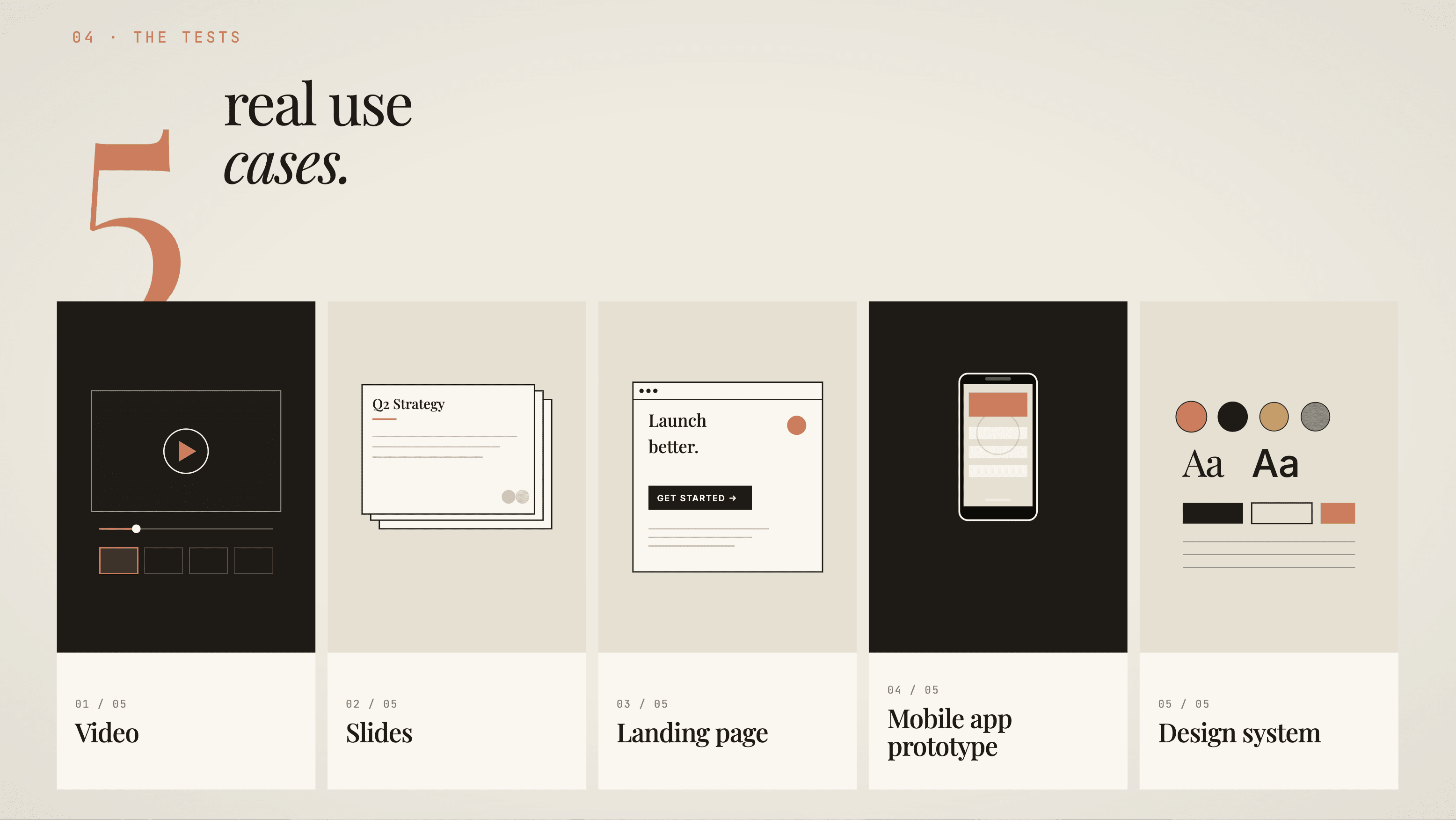
- Product Prototypes: Founders and PMs can visualize mobile apps or web UIs in minutes.
- Pitch Decks & Presentations: Turn raw notes into branded slide decks with consistent styling.
- Landing Pages & Marketing Assets: Generate full one-pagers or social graphics instantly.
- Design System Maintenance: Teams maintain multiple systems and apply them automatically.
Claude Design vs. Figma, Canva & Traditional Tools
| Feature | Claude Design | Figma | Canva |
|---|---|---|---|
| Starting Method | Natural language conversation | Manual design | Templates + drag-and-drop |
| Brand Consistency | Auto-builds from codebase | Manual component library | Limited brand kits |
| Iteration Speed | Chat + sliders | Layers and components | Basic edits |
| Code Handoff | Direct to Claude Code | Dev mode / plugins | Limited |
Limitations to Know
- Usage can burn through subscription limits quickly.
- Occasional bugs and export quirks are expected in early preview.
- Best results still come from clear, detailed prompts.
The Bigger Picture for 2026
Claude Design signals a broader shift: AI is moving from “text and code” into full creative workflows. For the first time, non-designers can produce professional-grade visuals at the speed of thought.
Ready to go beyond single-model design tools?
While Claude Design delivers incredible results using Anthropic’s Opus 4.7, many teams are now building production AI agents and multi-model workflows. That’s where a unified API platform like AI.cc comes in. With one OpenAI-compatible endpoint and access to 400+ models, AI.cc lets developers seamlessly integrate Claude’s design intelligence into custom applications.