
 OpenAI - ChatGPT, Sora
 Google - Gemini, Nano Banana
 Anthropic - Claude
 xAI - Grok
 Deepseek
 Alibaba - Qwen
 ByteDance - Doubao
 All Models
 Enterprise Plans
 AI Application Development
 AI Translator API
 AI SEO/GEO Service
 GEO-Optimized PR Service
 Web Scraping Service
 OpenClaw
 Top AI Tools
 Top AI Robots
 Log in




Run your first ChatGPT Ad
in under an hour.
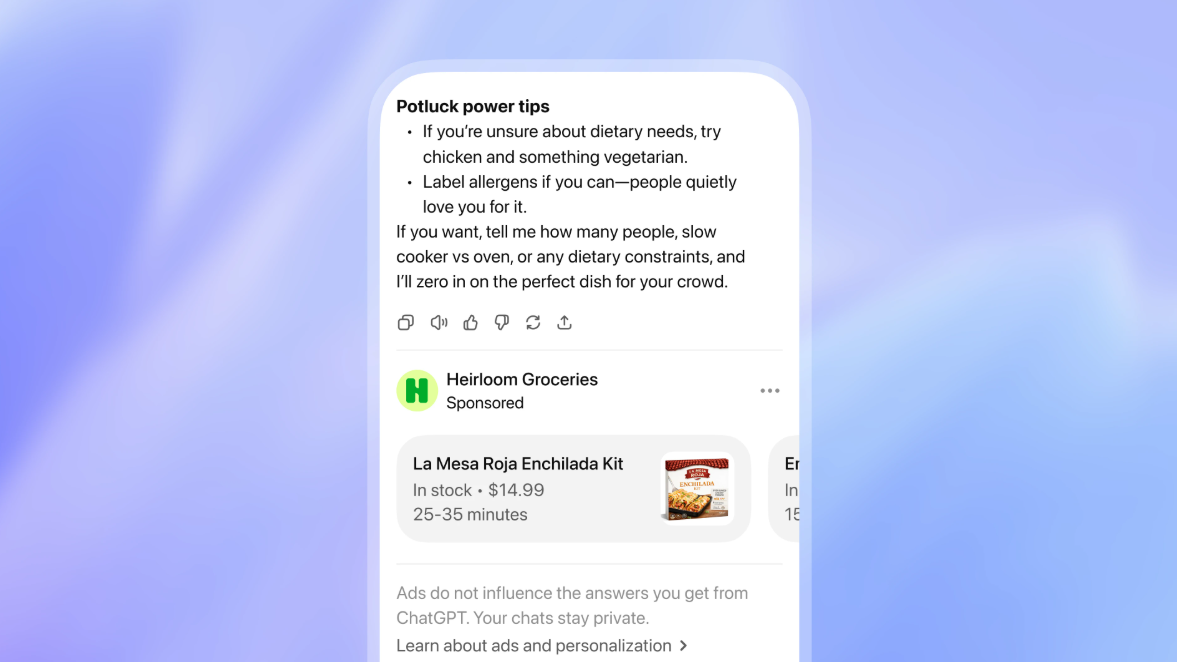
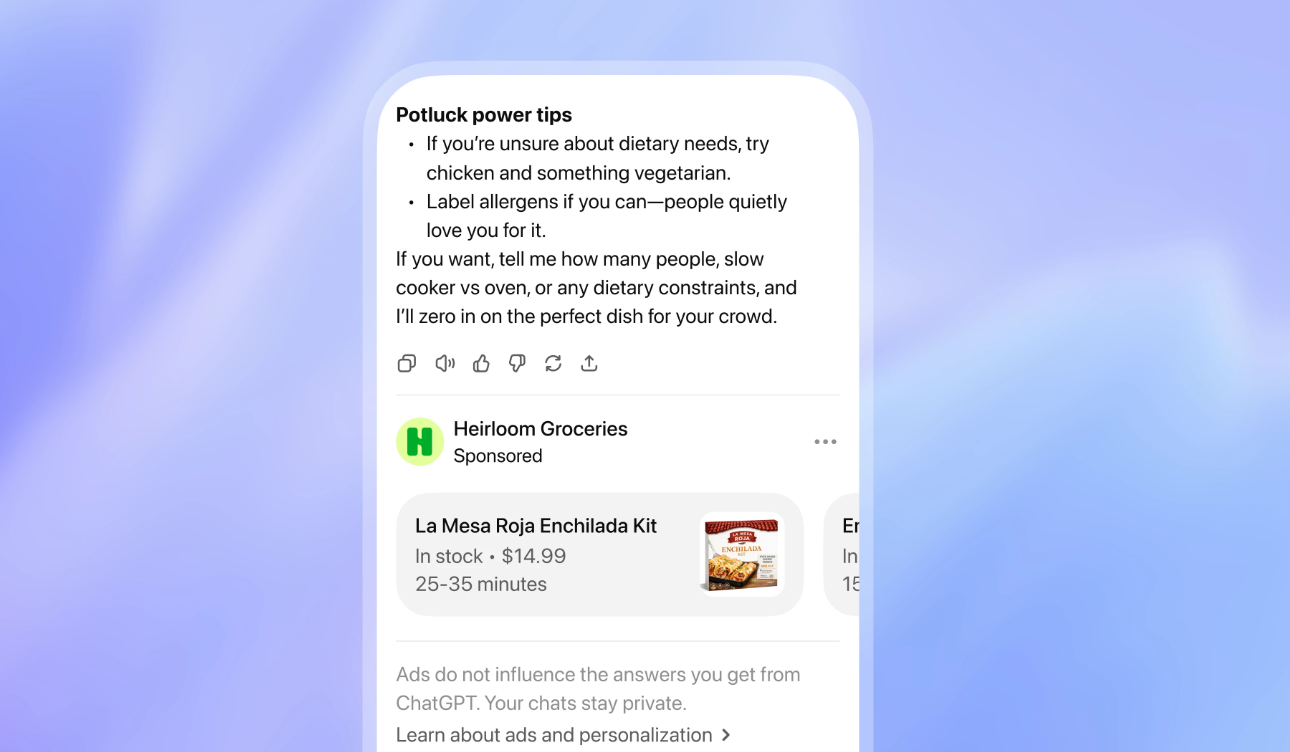
OpenAI's ChatGPT Ads Manager just opened in beta — a brand-new high-intent ad surface that traditional search and social can't match. This is the practitioner's playbook: account setup, first campaign, creative best practices, ROI optimization, and the pitfalls to dodge. Built for marketers, agencies, and founders who would rather ship a campaign tonight than read another think-piece.
Four reasons ChatGPT Ads matter this quarter.
Create and verify your Ads Manager account.
Verification is the most common stall point for new accounts — campaigns simply will not deliver until it clears. Run this checklist top-to-bottom and have your documents in front of you before you start.
- Go to ads.openai.com and sign in with your OpenAI account. Use your work email — personal Gmail accounts trigger longer review queues.
- Complete business onboarding. You'll need the following on hand:
- Legal business name (exactly as registered)
- Business URL with a working landing page
- Favicon or logo — minimum 128 × 128 px, square
- EIN or equivalent local tax ID
- Set up billing and your payment method. Card is fastest; invoice billing exists for higher tiers.
- Invite team members and assign roles. Roles separate creative/campaign editing from billing access.
- Submit for verification. Legitimate businesses typically clear in 1–3 business days.
Create your first campaign.
The Ads Manager supports guided creation through the wizard, plus CSV bulk upload for accounts running dozens of campaigns at once. For your first, use the wizard — it forces you to make every decision explicitly.
brand_q2_us_v1. Future-you needs this.daily or lifetime. Daily for ongoing tests; lifetime for fixed-window pushes.CPC for performance, CPM for awareness. Both available in beta.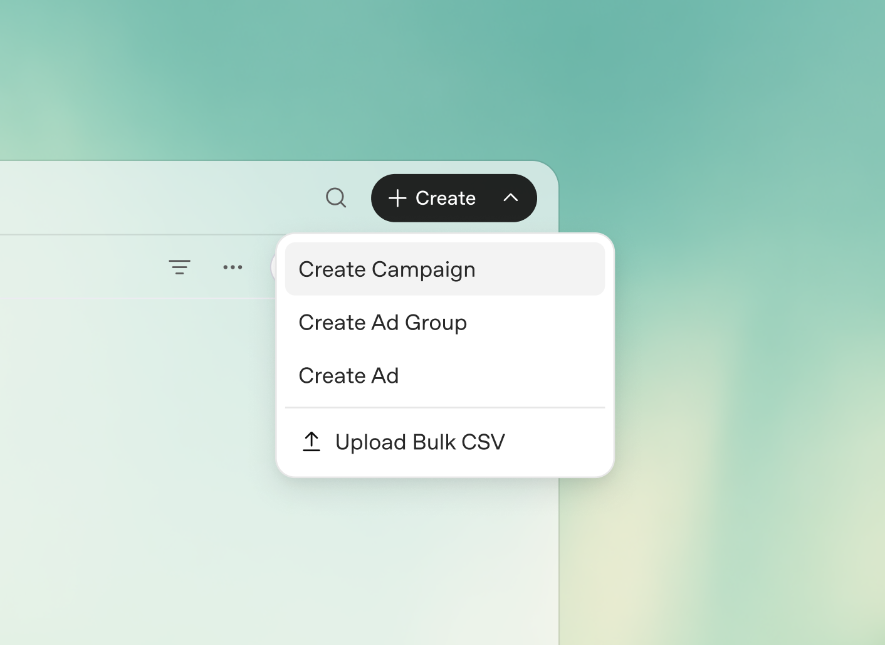
Design ads that feel native to ChatGPT.
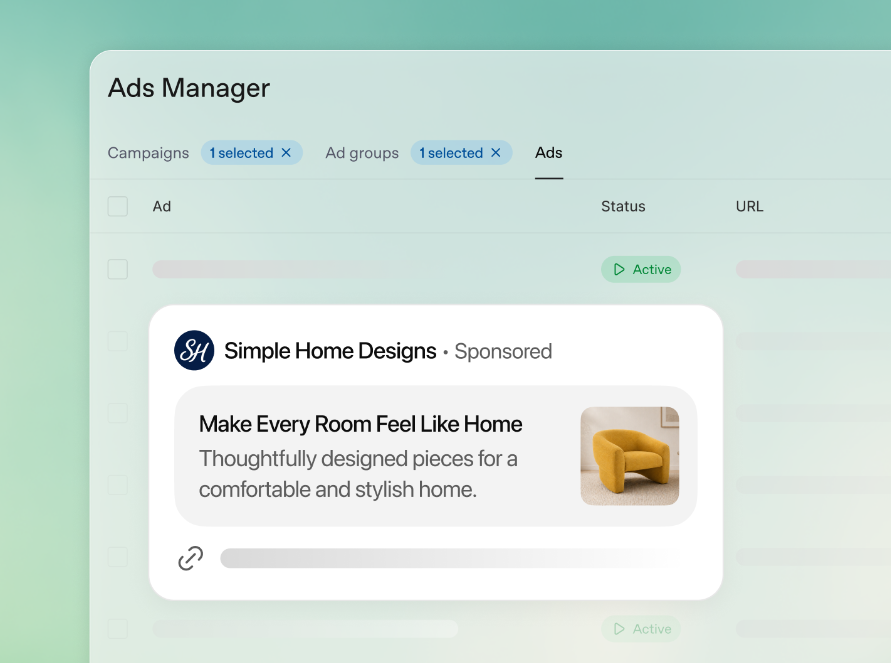
The biggest creative mistake here is importing your Google Ads voice. Ads in ChatGPT live inside an answer — they need to feel like part of a helpful reply, not an interruption. Conversational, specific, useful.
- Write headlines as if completing the user's thought. If they asked "best CRM for a 10-person team," your headline answers that question directly — not "Revolutionize Your Sales Pipeline Today."
- Lead with specificity. Numbers, plan names, concrete capabilities. Vague benefits get skipped.
- Use "AI Suggest" as a brainstorm, not a final draft. The generated lines are decent starting points but always read generic until you rewrite them.
- Include a clear CTA and destination URL. Match the landing page to the headline — promise-payoff mismatch tanks conversion.
- Optional square image for enhanced formats. If you use one, it should be informational (a screenshot, a chart) more than decorative.
- Always ship 3+ variations. One creative is not a test. Three minimum — different angles, different lengths.
Launch, monitor, iterate.
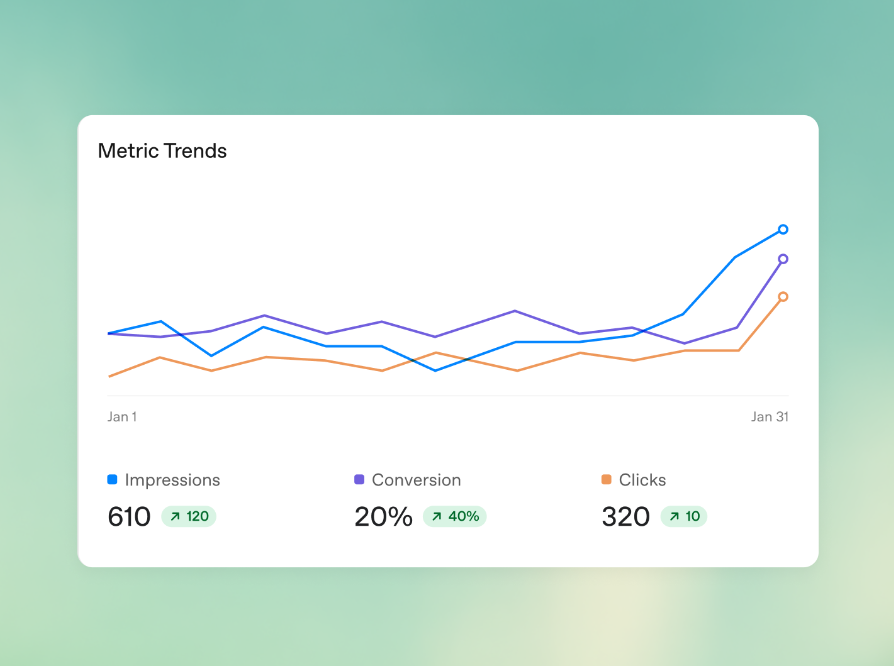
Beta-stage ad platforms reward the operators who watch closely in the first 72 hours. Real-time data here is unusually responsive — small changes can shift performance fast.
- Track impressions, clicks, and conversions in real-time. The built-in analytics is enough for v1. Don't over-engineer instrumentation yet.
- Refine context hints first, creative second. Targeting changes move the needle harder than copy tweaks in this platform.
- Pause underperformers fast. Variants with sub-baseline CTR after meaningful volume — kill them. Spread budget to winners.
- Layer third-party measurement as the integrations land. UTM tagging on destination URLs is your bridge to GA4 in the meantime.
Five moves for better ROI.
- Engineer your context hints. The strongest lever in the platform. Spend 30 minutes mapping the actual queries your buyers ask — not the keywords you'd buy on Google.
- Focus on decision-stage content. Ads perform best when users are comparing options or actively shopping for a solution — not browsing.
- Guard brand safety actively. Audit placements weekly. Use negative context to exclude adjacent topics you don't want to show against.
- Combine with other channels. Use ChatGPT Ads for upper-funnel awareness, then retarget warm audiences on social. Don't let it be a silo.
- Start small, scale on signal. Modest budgets ($20–50/day) for the first two weeks. Scale the variants that prove out.
Common mistakes to avoid.
- Skipping thorough business verification, then wondering why the campaign won't deliver.
- Writing overly salesy copy that feels like an interruption instead of a helpful continuation.
- Ignoring ad controls and user privacy settings — a brand-safety incident waiting to happen.
- Launching without conversion tracking. You will not learn what worked.
- Treating context hints as an afterthought. They are the single most important setting.
Beyond ChatGPT Ads — quick wins from adjacent trends.
While your campaign warms up, three complementary moves worth your attention:
Act early, iterate fast.
- Set up your Ads Manager account and clear verification today.
- Prepare 5–10 ad variations grounded in your top customer questions.
- Launch a small test campaign this week and document every learning.
What's your biggest open question about running ChatGPT Ads? Drop it in the comments below — I'll reply with tailored advice. If this guide saved you a couple hours, share it with your team. Last updated May 11, 2026 — AI advertising moves fast, always cross-check the official OpenAI Help Center for the latest specs and policies.