
 OpenAI - ChatGPT, Sora
 Google - Gemini, Nano Banana
 Anthropic - Claude
 xAI - Grok
 Deepseek
 Alibaba - Qwen
 ByteDance - Doubao
 All Models
 Enterprise Plans
 AI Application Development
 AI Translator API
 AI SEO/GEO Service
 GEO-Optimized PR Service
 Web Scraping Service
 OpenClaw
 Top AI Tools
 Top AI Robots
 Log in










Stop debugging agents
with print().
Use LangSmith.
LangSmith is the leading observability, evaluation, and deployment platform for LLM applications and Agentic AI — built by the LangChain team. It traces every model call, tool use, and decision your agents make, then gives you the dashboards, evals, and prompt tools to debug them like grown-up software. This is the practitioner's playbook: account, tracing, LangGraph debugging, evaluations, and production-grade workflow.
Why LangSmith matters in 2026.
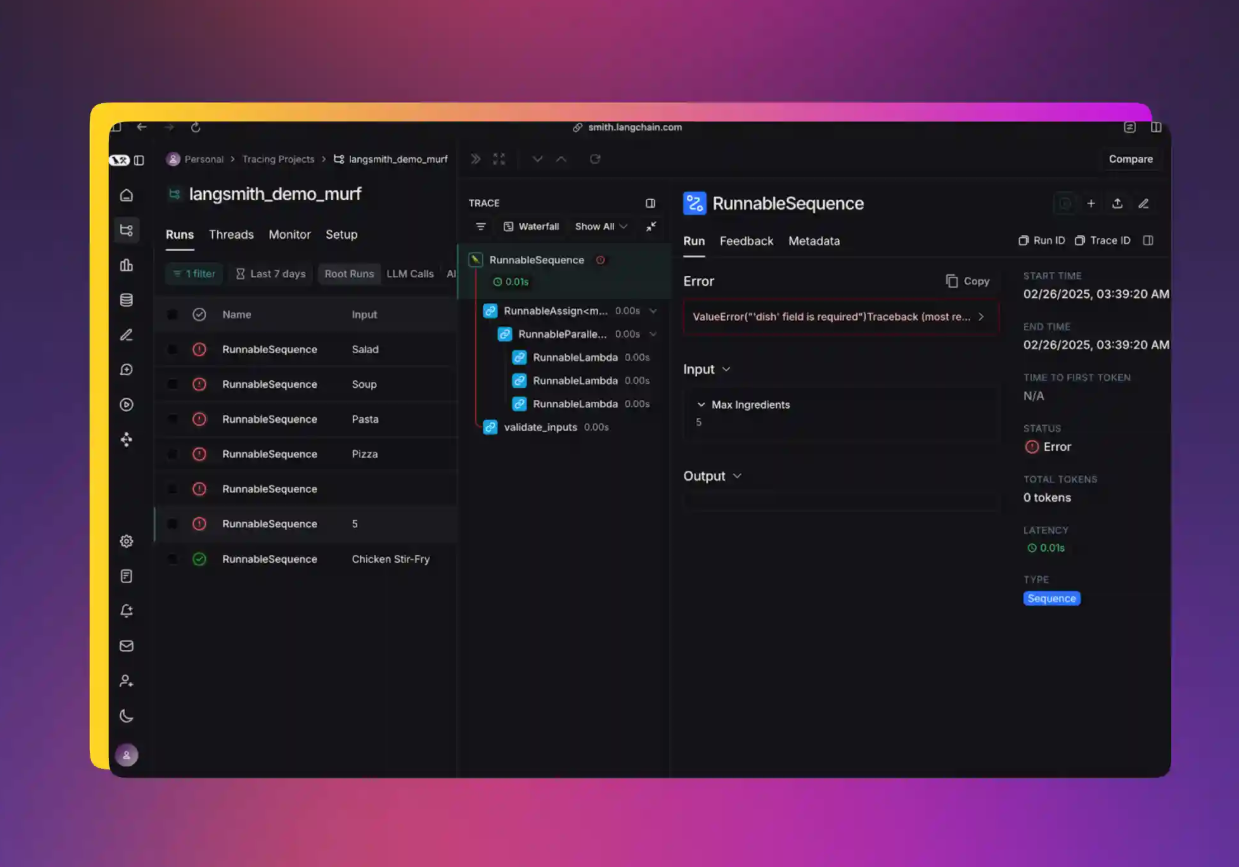
As Agentic AI becomes mainstream, simple print() debugging no longer works. A modern agent run is a tree of nested LLM calls, tool invocations, retries, and conditional branches — and you cannot debug that with logger.info. LangSmith gives you five capabilities that compose into a real workflow:
Create your LangSmith account & API key.
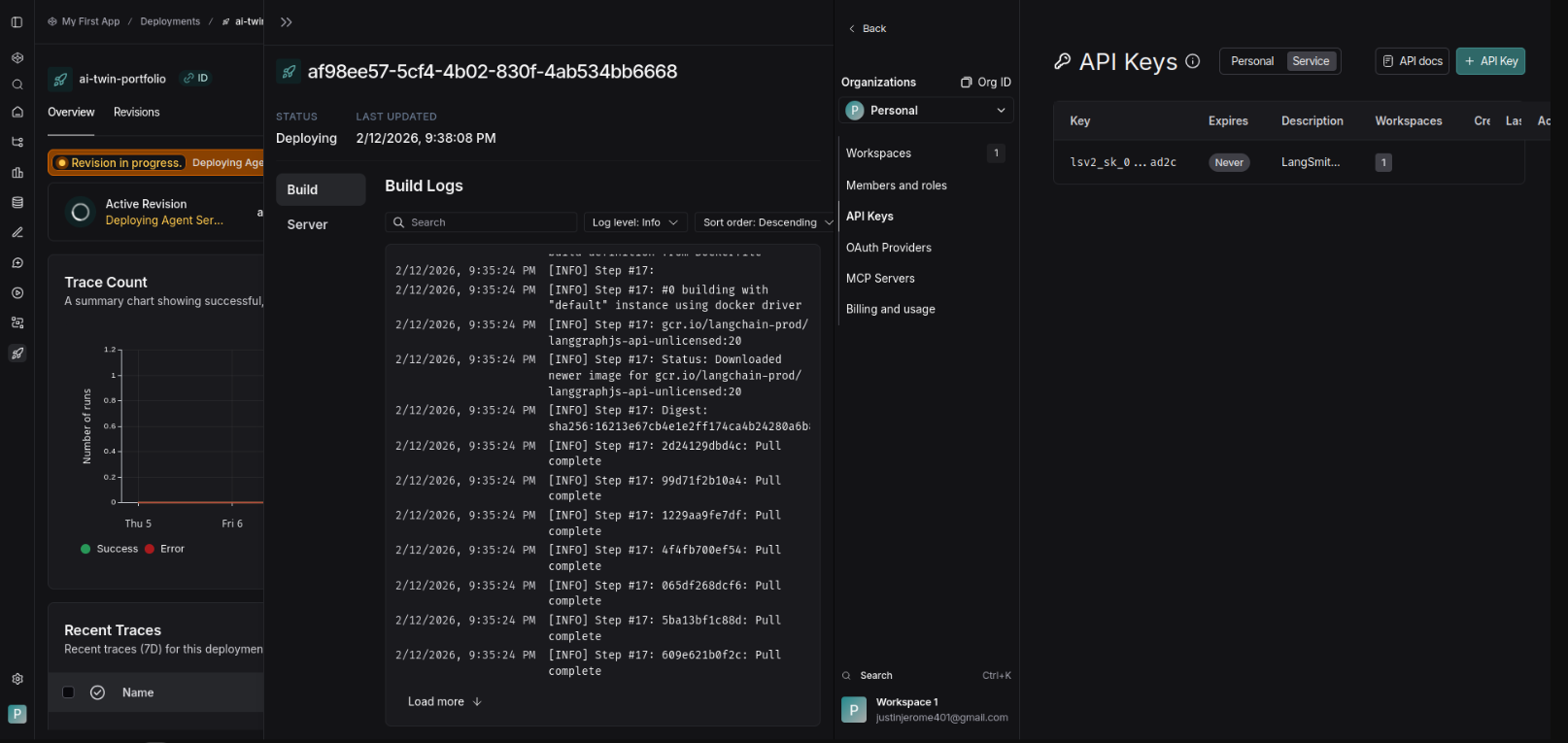
The free Developer tier is enough to get started — no credit card. Service Keys are for production, Personal Access Tokens for development. Don't mix them.
- Go to smith.langchain.com and sign up. Developer plan is free — no card needed.
- Log in with Google, GitHub, or email — your choice.
- Navigate to Settings → API Keys.
- Create a
Personal Access Tokenfor dev, or aService Keyfor production deployments. - Copy the key — you only see it once. Store it in your secret manager, not in git.
Install langsmith & configure your environment.
One pip install, three environment variables. The optional fourth one is for EU residency or custom endpoint routing.
pip install langsmith Set environment variables — add to .env or export directly:
export LANGSMITH_TRACING=true export LANGSMITH_API_KEY=lsv2_xxxxxxxxxxxx # Optional: For EU or custom region # export LANGSMITH_ENDPOINT=https://eu.api.smith.langchain.com
Enable tracing in your code.
The @traceable decorator wraps any function and pushes its inputs, outputs, latency, and tool calls into LangSmith. That's the whole quickstart.
from langchain_openai import ChatOpenAI from langsmith import traceable @traceable def my_agent(query: str): llm = ChatOpenAI(model="gpt-4o") return llm.invoke(query) # Or enable globally import os os.environ["LANGSMITH_TRACING"] = "true"
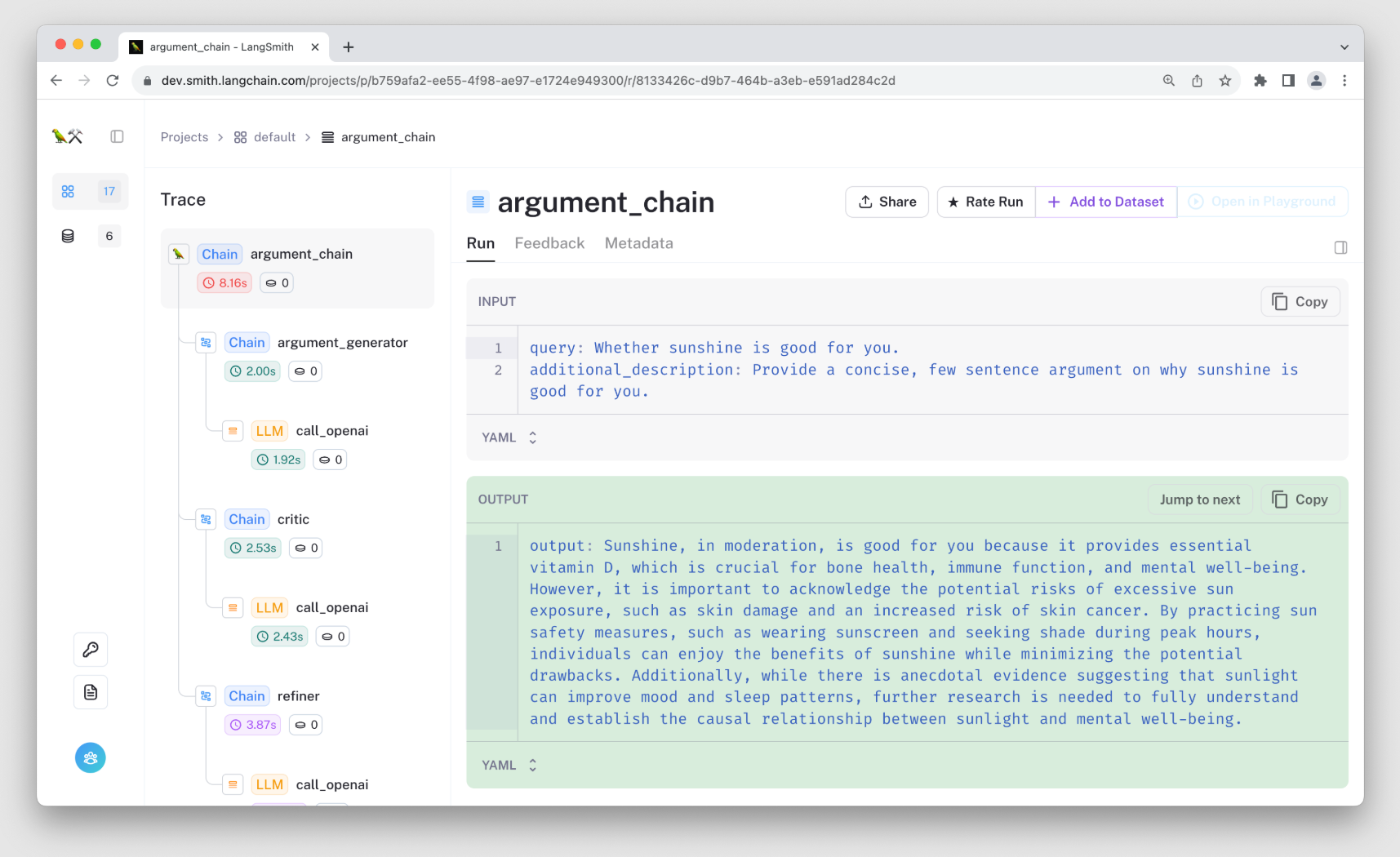
Run your code. Traces appear in the LangSmith dashboard automatically — usually within seconds.
Debug complex agents with LangGraph.
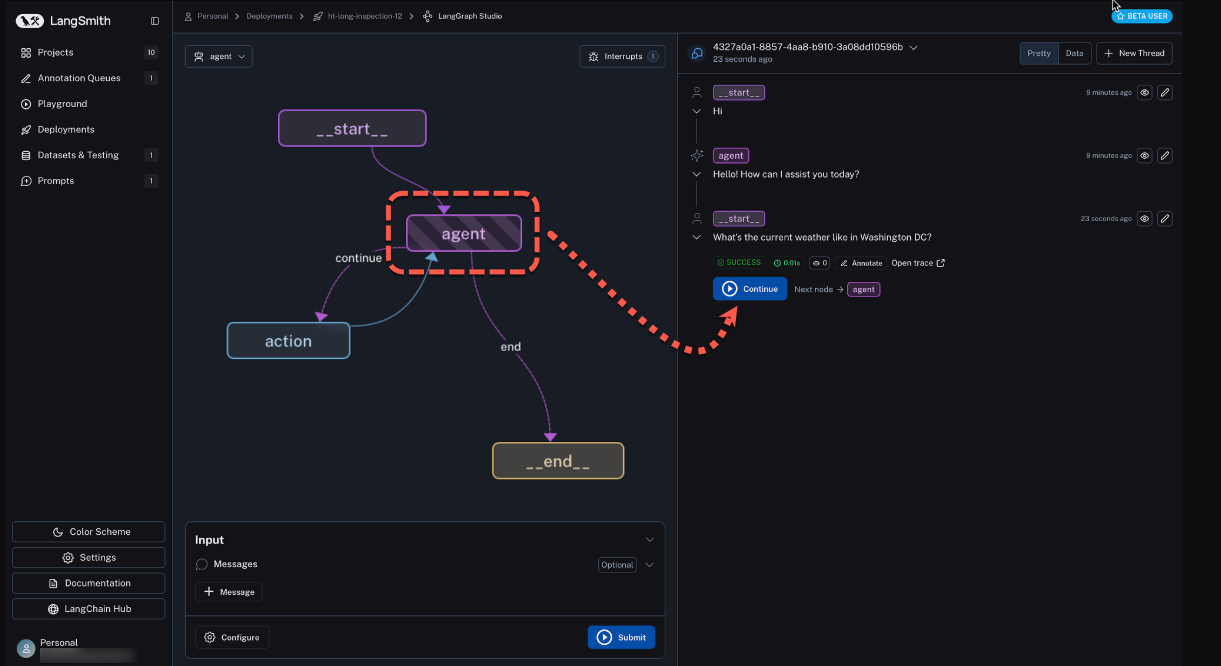
LangSmith shines hardest when paired with LangGraph — stateful, multi-node, multi-agent workflows. The trace tree becomes the graph execution itself.
- Visualize the full graph execution — every node, every edge, every state transition.
- See state changes at every node. No more
print(state)in twelve places. - Replay traces with different models or prompts — test a hypothesis without re-running production.
- Use LangSmith Studio for visual, step-through agent debugging.
Run evaluations & experiments.
Evals are what separate a demo from a product. Without them, every prompt tweak is a guess. LangSmith bakes the workflow in:
- Create Datasets of test cases — start with 10 examples, grow to hundreds.
- Define evaluators — LLM-as-judge, custom code, or human feedback.
- Run experiments and compare versions side-by-side, with regression flags.
- Track regression as you iterate. Did the new prompt break example #7? You'll see it before it ships.
Power-user tips for production deployments.
- Use LangSmith Engine (new in 2026) — an AI layer that analyzes traces and suggests fixes for failing or expensive runs.
- Integrate with LangGraph for persistent memory and human-in-the-loop checkpoints — the two patterns that matter most past prototype stage.
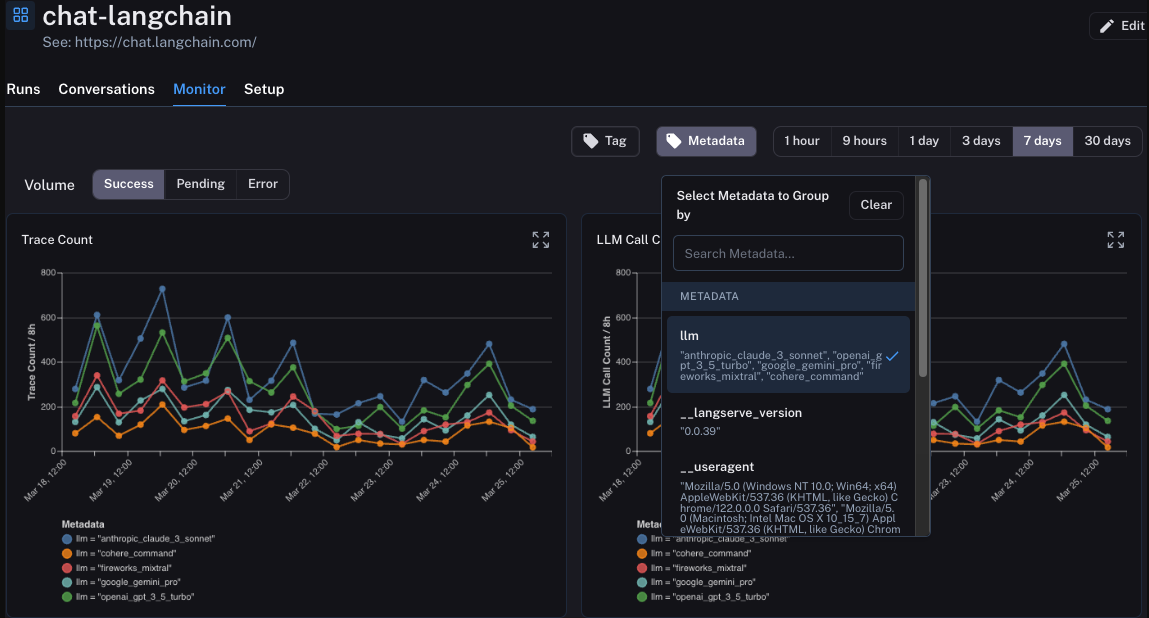
- Monitor costs, latency, and error rates in production. Set thresholds. Get alerted before customers do.
- Set up anomaly alerts. A 3× spike in tokens-per-call is a signal, not a coincidence.
Pricing overview · 2026 tiers.
What teams are actually using it for.
Action checklist — execute today.
- Create your LangSmith account and generate an API key.
- Enable tracing in your current project — one decorator, two env vars.
- Run one agent flow and inspect the resulting trace tree.
- Build a small (5–10 example) evaluation dataset.
- Open LangSmith Studio and step through your agent visually.
LangSmith has become the de facto standard for serious Agentic AI development in 2026. Start with the free tier today and level up as your agents grow in complexity. What are you building with LangSmith? Share your use case in the comments — happy to give specific advice. Last updated May 14, 2026. Always check the official LangSmith Docs for the latest features.